

Can I adjust the brightness of a digital picture frame?
Hey there! As a supplier of digital picture frames, I often get asked a bunch of questions. One question that pops up quite a bit is, "Can I adjust the brightness of a digital picture frame?" Well, let's dive right into it.
First off, the short answer is yes, in most cases, you can adjust the brightness of a digital picture frame. Just like your TV or smartphone, modern digital picture frames come with the ability to tweak the brightness settings to suit your needs. Why would you want to do this? Well, there are a few good reasons.
If you're displaying your digital picture frame in a well - lit room, like a living room with lots of windows during the day, you might want to crank up the brightness. This ensures that the photos on the frame are clear, vivid, and easy to see. The sunlight can be pretty harsh, and if the frame isn't bright enough, the images can look washed out. On the other hand, if you're using the frame in a dimly lit room, like a bedroom at night, you'll probably want to turn the brightness down. A super - bright frame can be really distracting and even a bit annoying in a dark environment.
Let's talk about how you can actually adjust the brightness. Most digital picture frames come with a built - in menu system. You can usually access the menu using a remote control that comes with the frame or by using buttons on the side or back of the frame itself. Once you're in the menu, look for an option like "Brightness" or "Display Settings." From there, you can use the up and down arrows on the remote or the frame's buttons to increase or decrease the brightness level.
Now, let's take a look at some of the products we offer as a digital picture frame supplier. The Rovesky 7 - Inch Digital Photo Frame with Remote is a great little frame. Despite its small size, it packs a punch when it comes to features. You can easily adjust the brightness using the included remote control. It's perfect for displaying on a bedside table or a small desk. You can set the brightness just right so that you can enjoy your favorite photos without any glare or eye - strain.
Our 10.1 - Inch WiFi Digital Photo Frame is another popular choice. This frame not only allows you to adjust the brightness but also has the added convenience of WiFi connectivity. You can upload photos directly to the frame from your phone or computer. When it comes to brightness adjustment, it's a breeze. Just tap on the screen to access the menu and then find the brightness setting. You can customize it according to the lighting conditions in your home or office.
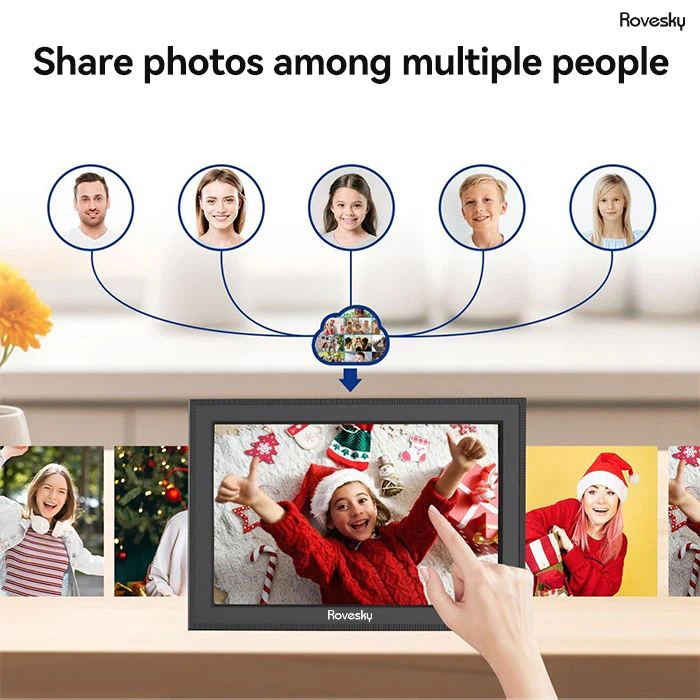

If you're looking for something bigger, the Rovesky 15.6 - Inch WiFi Digital Picture Frame is the way to go. This large - sized frame is perfect for making a statement in a living room or a hallway. With its high - resolution display, adjusting the brightness is crucial to get the best viewing experience. You can use the touch - screen interface to quickly change the brightness level. Whether it's a sunny day or a cozy evening, you can make sure your photos look amazing.
But what if you run into some issues with the brightness adjustment? Sometimes, the frame might not respond to the brightness settings properly. This could be due to a software glitch. In such cases, try resetting the frame. You can usually do this by turning it off, unplugging it from the power source for a few minutes, and then plugging it back in and turning it on again. If the problem persists, it could be a hardware issue, and you might need to contact our customer support team.
Another thing to keep in mind is that different frames might have different ranges of brightness adjustment. Some frames might have a very wide range, allowing you to make the frame extremely bright or very dim. Others might have a more limited range. When choosing a frame, consider where you'll be using it and how much control you'll need over the brightness.
In conclusion, adjusting the brightness of a digital picture frame is an important feature that can greatly enhance your viewing experience. Whether you're using a small 7 - inch frame or a large 15.6 - inch frame, being able to customize the brightness according to your environment is a must.
If you're interested in purchasing any of our digital picture frames or have any questions about brightness adjustment or other features, we'd love to hear from you. Reach out to us for a friendly chat about your needs and how our products can meet them. We're always here to help you find the perfect frame for your photos.
References
General knowledge about digital picture frames and their features.
Product specifications of Rovesky 7 - Inch Digital Photo Frame with Remote, 10.1 - Inch WiFi Digital Photo Frame, and Rovesky 15.6 - Inch WiFi Digital Picture Frame.