

What Is Smart TV Best Color Setting
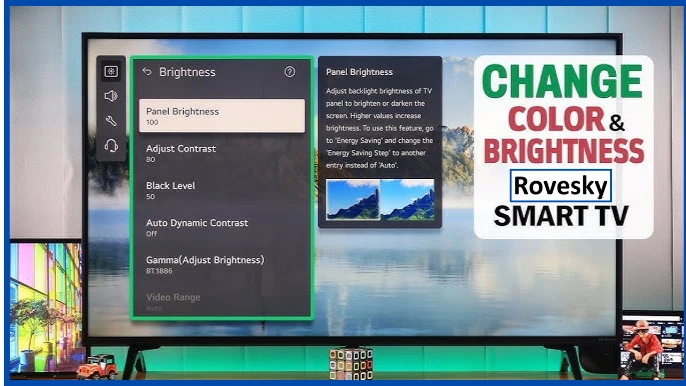
Color settings for your smart TV can greatly improve viewing experience. Many LED TVs including Android Smart TV comes with default color setting that not ideal for movies gaming or regular TV show. change these setting will help you get better picture quality and more realistic colors.
1. Brightness & Contrast
Most LED TV review suggest that keep brightness at around 50% is the best option. If screen is too bright colors may look washed out. Contrast should be set between 80% to 90% for better detail in bright areas.
2. Color Temperature (Choose Natural Tone)
Many smart LED TVs offer different color temperature modes such as Warm Cool and Standard. Warm mode usually provide most natural look while Cool mode make white look bluish. i advice you Choose Standard or Warm for realistic colors.
Top Best Affordable Smart Tvs For You
💥 BIG SALE -50% 💥
💰85 Inch Latest Ai Smart Tv Reasonable Price Rovesky 4K Smart Tv 85inch
💰Rovesky 65 Inch 4K Android Smart TV Best 65 Smart Tv Affordable Price 2025
💰Rovesky 55 Inch 4K Smart Android Tv In Affordable Price Google Assistance Smart TV
💰43 Inch Smart Android Tv Rovesky AI Upscaling Smart Tv Affordable Smart Televisions
3. Sharpness
Some 55 inch smart TVs and LED TVs with sharpness settings set too high. This can make images look artificial. Keep sharpness between 0% to 20% for clear and natural view display
4. Motion Smoothing: Turn It Off for Cinematic Look
Many liquid crystal TVs (LCDs) and LED pixel TVs have motion smooth feature. That setting make movies look not real image. Turning it off will give you true cinema experience.
Final Tips
For the best color setting use Movie or Cinema mode and adjust brightness contrast and sharpness according to your room lighting. Whether you have new arrival smart TV or older model fine tuning settings will enhance your viewing experience


