

What software is needed for a smart board?
Hey there! As a supplier of smart boards, I often get asked about the software needed to make these amazing devices truly shine. In this blog post, I'll break down the essential software components for a smart board and give you some insights into how they can enhance your overall experience.

Interactive Whiteboard Software
First up, interactive whiteboard software is the heart and soul of any smart board. This type of software allows you to turn your smart board into a digital canvas where you can write, draw, annotate, and collaborate in real - time. It usually comes with a wide range of tools such as pens, highlighters, erasers, and shape tools. You can also insert images, videos, and text boxes to make your presentations more engaging.
One of the great things about interactive whiteboard software is its compatibility with different operating systems. Whether you're using Windows, macOS, or Linux, you can find a software that suits your needs. For example, some software even allows you to save your work in various formats like PDF, JPEG, or PowerPoint, so you can easily share it with others.
There are many popular interactive whiteboard software options out there. Some well - known names include SMART Notebook and Promethean ActivInspire. These software packages offer advanced features like multi - touch support, which means multiple users can interact with the board simultaneously. This is perfect for group work or classroom settings.
Screen Mirroring Software
Screen mirroring software is another must - have for smart boards. It enables you to display the content from your smartphone, tablet, or laptop onto the smart board. This is incredibly useful for presentations, as you can share the content on your personal device with a larger audience.
There are different types of screen mirroring software. Some are wireless, which makes the connection process quick and easy. You just need to connect your device and the smart board to the same Wi - Fi network, and you're good to go. Others may require a cable connection, but they also offer a stable and reliable way to mirror your screen.
For Android users, software like Miracast can be used to mirror the screen to a compatible smart board. Apple users, on the other hand, can take advantage of AirPlay. This allows iPhones, iPads, and Macs to wirelessly share their screens with the smart board.
Collaboration Software
In today's digital age, collaboration is key. That's why collaboration software is essential for smart boards. It allows multiple users to work together on a project, no matter where they are located. With collaboration software, you can edit documents, brainstorm ideas, and even conduct meetings in real - time.
Some collaboration software comes with built - in chat features, so you can communicate with your team members while working on the same project. Others offer version control, which means you can keep track of all the changes made to a document.
One popular collaboration software is Microsoft Teams. It integrates well with smart boards and offers a wide range of features for teamwork. You can share your screen, hold video conferences, and work on documents together. Another option is Google Workspace, which includes tools like Google Docs, Sheets, and Slides. These tools allow multiple users to edit and view documents simultaneously, making it easy to collaborate on projects.
Annotation Software
Annotation software is great for adding notes and comments to existing content. Whether you're presenting a PDF, a PowerPoint slide, or a video, annotation software allows you to mark up the content with text, arrows, and other symbols.
This is especially useful in educational settings. Teachers can use annotation software to highlight important points in a textbook or a lecture slide. In a business environment, it can be used to mark up contracts or project plans.
Many interactive whiteboard software packages come with built - in annotation features. However, there are also standalone annotation software options available. For example, Adobe Acrobat Pro allows you to annotate PDF files with a variety of tools.
Compatibility with Our Smart Boards
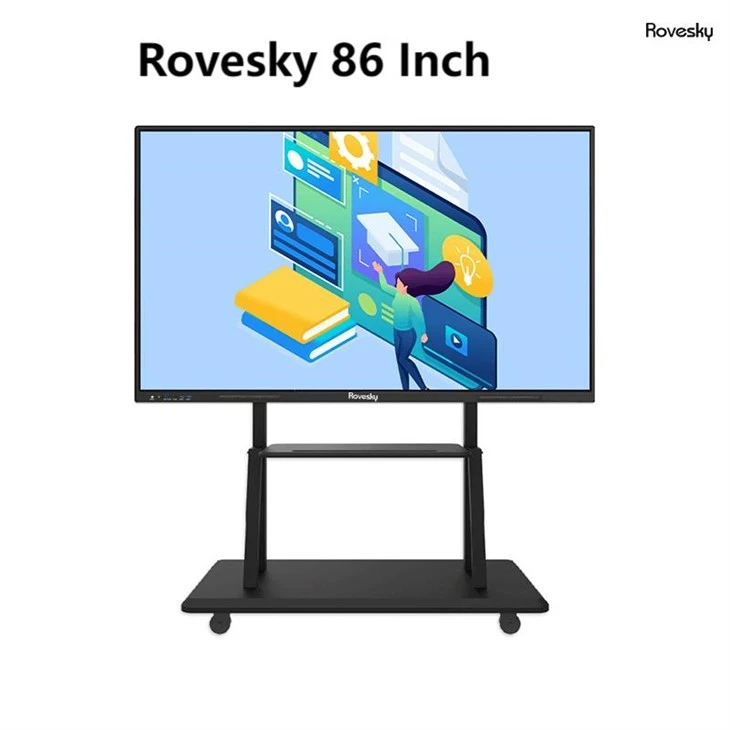
At our company, we understand the importance of software compatibility. That's why our smart boards, like the Rovesky 86 - Inch 4K Interactive Smart Whiteboard and the Rovesky 75 - Inch 4K Touchscreen Smart Whiteboard, are designed to work seamlessly with a wide range of software.
Our 86 - inch smart board offers a large, high - resolution display, which is perfect for presenting detailed content. The 4K resolution ensures that all your images and videos look sharp and clear. And with its multi - touch support, it's ideal for use with interactive whiteboard software and collaboration tools.
The 75 - inch smart board is also a great option. It's more compact, making it suitable for smaller rooms or offices. But it still offers the same high - quality performance and compatibility with various software.
Conclusion
In conclusion, having the right software is crucial for getting the most out of your smart board. Interactive whiteboard software, screen mirroring software, collaboration software, and annotation software all play important roles in enhancing the functionality of your smart board.
Whether you're using a smart board in a classroom, an office, or a conference room, these software options can help you create engaging presentations, collaborate effectively, and share information easily.
If you're interested in purchasing a smart board or learning more about the software compatibility, don't hesitate to get in touch with us. We're here to help you find the perfect solution for your needs.
References
- SMART Technologies. SMART Notebook software features.
- Promethean World. ActivInspire product details.
- Microsoft. Microsoft Teams features and benefits.
- Google. Google Workspace overview.
- Adobe. Adobe Acrobat Pro features.