

What is the refresh rate of a smart board for the classroom?
Hey there! As a supplier of smart boards for classrooms, I often get asked about the refresh rate of these devices. It's a crucial factor that can significantly impact the learning experience in the classroom. So, let's dive in and explore what the refresh rate of a smart board for the classroom is all about.
First off, what exactly is the refresh rate? In simple terms, the refresh rate refers to how many times per second a display updates the image on the screen. It's measured in Hertz (Hz). For example, a refresh rate of 60 Hz means the screen refreshes 60 times every second.
Now, why does the refresh rate matter in a classroom setting? Well, a higher refresh rate can lead to a smoother and more fluid visual experience. When students are watching videos, interacting with educational software, or even just looking at slides, a low refresh rate can result in choppy motion, flickering, and eye strain. On the other hand, a high refresh rate ensures that everything on the screen looks sharp and moves smoothly, making it easier for students to focus and engage with the content.
Let's take a look at some common refresh rates you might encounter in smart boards for the classroom.
60 Hz Refresh Rate
This is the most basic and widely available refresh rate. Many entry - level smart boards come with a 60 Hz refresh rate. It's sufficient for most basic classroom activities like showing static slides, simple text, and basic animations. However, when it comes to more dynamic content such as high - speed videos or interactive games, a 60 Hz refresh rate might start to show its limitations. You might notice some blurring or stuttering, especially during fast - paced scenes.
120 Hz Refresh Rate
A 120 Hz refresh rate is a significant upgrade from 60 Hz. It provides a much smoother visual experience, especially for fast - moving content. When students are watching action - packed educational videos or participating in interactive simulations, the 120 Hz refresh rate ensures that there's minimal motion blur. This can enhance the overall learning experience by making the content more engaging and easier to follow.
Higher Refresh Rates (240 Hz and above)
Smart boards with refresh rates of 240 Hz or higher are considered top - of - the - line. These are usually more expensive but offer an incredibly smooth and immersive visual experience. They're ideal for advanced classrooms that require high - end multimedia content, such as virtual reality (VR) or augmented reality (AR) applications. However, for most standard classrooms, a 120 Hz refresh rate is more than enough to meet the needs of daily teaching and learning.

So, how do you choose the right refresh rate for your classroom? It depends on several factors.
Budget
If you're on a tight budget, a 60 Hz refresh rate smart board might be a good starting point. It can still get the job done for basic classroom activities. But if you have some extra funds to spare, investing in a 120 Hz refresh rate smart board can make a big difference in the quality of the learning experience.
Classroom Activities
Consider the types of activities that will take place in the classroom. If it's mostly traditional teaching with static slides and simple presentations, a 60 Hz refresh rate might be sufficient. But if you plan to use a lot of multimedia content, interactive games, or advanced educational software, a higher refresh rate is recommended.
Number of Students
In larger classrooms with more students, a higher refresh rate can be beneficial. It ensures that everyone can clearly see the content on the screen without any distractions caused by blurring or flickering.
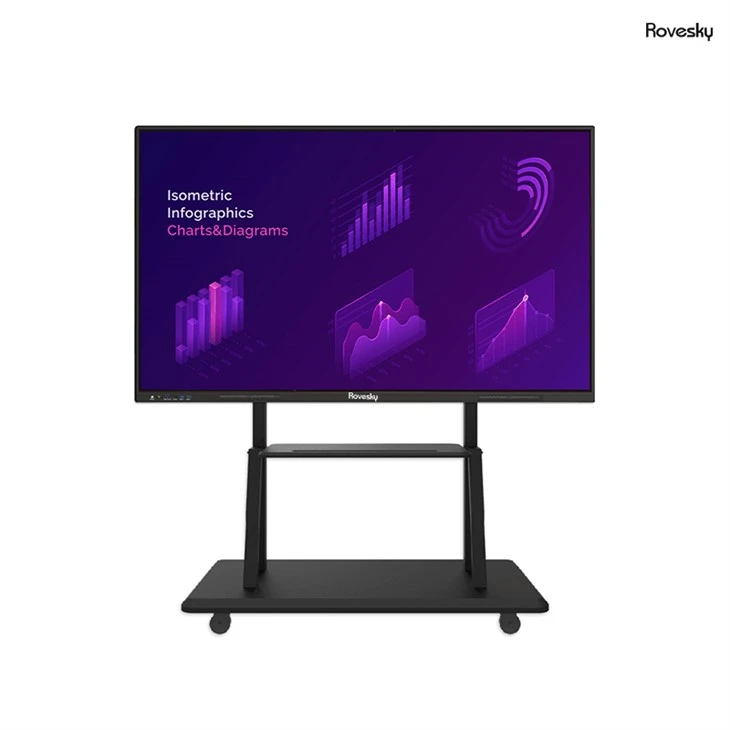
At our company, we offer a range of smart boards for classrooms with different refresh rates to suit various needs and budgets. For example, our Rovesky 65'' 4K Touchscreen Whiteboard comes with a high - quality display and an option for a 120 Hz refresh rate. This smart board is perfect for modern classrooms, providing a smooth and interactive learning environment.
It also has a 4K resolution, which means the images and videos shown on the board are incredibly sharp and detailed. The touchscreen functionality allows teachers and students to interact directly with the content, making the learning process more hands - on and engaging.
In addition to the refresh rate and resolution, there are other factors to consider when choosing a smart board for the classroom. These include the size of the board, the touch sensitivity, the connectivity options, and the durability of the device.
The size of the smart board is important as it needs to be visible from all parts of the classroom. A larger board is usually better for bigger classrooms, but it also takes up more space. Touch sensitivity is crucial for a smooth and accurate interaction with the board. You want a board that responds quickly and accurately to touch gestures.
Connectivity options are also essential. A good smart board should be able to connect to various devices such as laptops, tablets, and smartphones. This allows teachers to easily share content from different sources and encourages collaboration among students.
Finally, durability is a key factor. Classrooms can be a busy and sometimes rough environment, so the smart board needs to be able to withstand daily use. Look for a board with a sturdy construction and a reliable warranty.
In conclusion, the refresh rate of a smart board for the classroom is an important consideration that can have a big impact on the learning experience. While a 60 Hz refresh rate is suitable for basic classroom activities, a 120 Hz refresh rate is recommended for a more dynamic and engaging learning environment. And if you have the budget and the need for high - end multimedia content, a smart board with a 240 Hz or higher refresh rate might be the way to go.
If you're interested in learning more about our smart boards for classrooms or would like to discuss your specific requirements, feel free to reach out to us. We're here to help you find the perfect smart board solution for your classroom.
References
- "Display Technology Basics" by TechTarget
- "Choosing the Right Smart Board for Your Classroom" by Education Technology Magazine