

What is the pixel density of a 24 - inch All - in - one Desktop Computer screen?
Pixel density is a crucial factor when it comes to evaluating the visual quality of a computer screen. As a supplier of 24 - inch All - in - one Desktop Computers, I often encounter questions regarding the pixel density of our screens. In this blog, I'll delve into what pixel density is, how it's calculated, and what to expect from a 24 - inch All - in - one Desktop Computer screen.
Understanding Pixel Density
Pixel density, often measured in pixels per inch (PPI), refers to the number of individual pixels that can be displayed in one linear inch of a screen. A higher pixel density means more pixels are packed into each square inch of the screen, resulting in a sharper, more detailed image. This is especially important for tasks such as photo and video editing, gaming, and even general web browsing, where clear and crisp visuals are highly desirable.
Calculating Pixel Density
The formula for calculating pixel density is based on the Pythagorean theorem. Given the horizontal and vertical pixel counts of a screen, we can find the diagonal pixel count. Then, we divide this diagonal pixel count by the physical diagonal size of the screen in inches.

Let's assume a common resolution for a 24 - inch All - in - one Desktop Computer is 1920x1080 pixels. First, we calculate the diagonal pixel count using the Pythagorean theorem:
[
\begin{align*}
\text{Diagonal pixels}&=\sqrt{1920^{2}+1080^{2}}\
&=\sqrt{3686400 + 1166400}\
&=\sqrt{4852800}\
&\approx2203
\end{align*}
]
Since the screen size is 24 inches, the pixel density (PPI) is:
[PPI=\frac{2203}{24}\approx92]
So, a 24 - inch All - in - one Desktop Computer with a 1920x1080 resolution has a pixel density of approximately 92 PPI.
Impact of Pixel Density on Visual Experience
A higher pixel density can significantly enhance the visual experience. When the pixel density is high, text appears smoother, images look more detailed, and colors seem more vibrant. For example, on a screen with a high PPI, you can view fine details in a high - resolution photo without seeing the individual pixels, which would otherwise make the image look blocky.
However, it's important to note that extremely high pixel density isn't always necessary or beneficial. For some users, a very high - density screen might make text too small to read comfortably without zooming in. In such cases, a slightly lower pixel density can provide a more user - friendly experience.
Our 24 - Inch All - in - One Desktop Computers
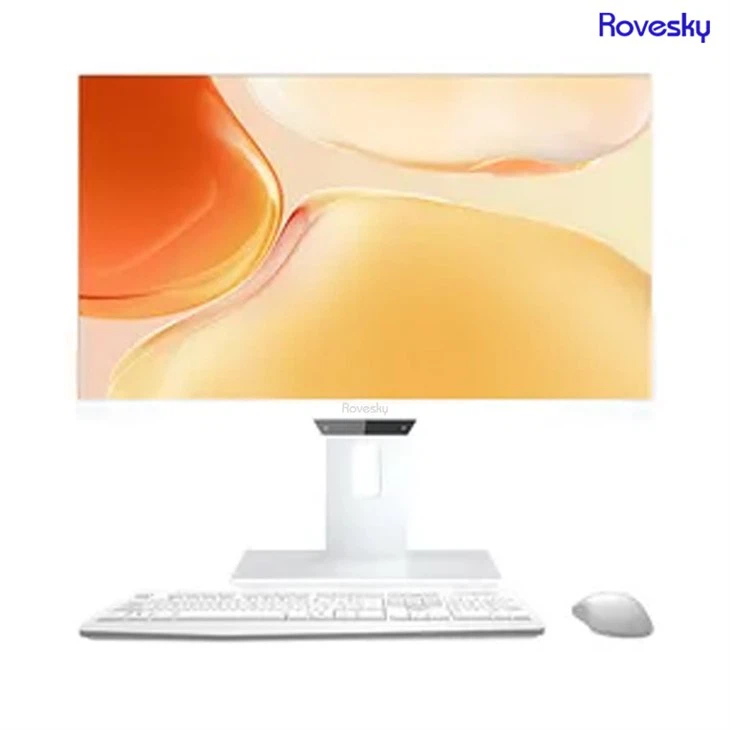
As a supplier, we offer a range of 24 - inch All - in - one Desktop Computers with different pixel densities to meet various user needs. Our Rovesky 24 - Inch All - in - One Portable Desktop PC comes with a carefully selected pixel density that balances sharpness and readability.
We understand that different users have different requirements. For professional graphic designers and video editors, we can provide models with higher pixel densities to ensure they can work with the most detailed and accurate visuals. On the other hand, for home users who mainly use the computer for web browsing, watching videos, and light gaming, our standard models with a moderate pixel density offer a great balance between cost and performance.
Comparing with Other Screen Sizes
It's interesting to compare the pixel density of a 24 - inch screen with other common screen sizes. For instance, let's consider a 27 inch All in one Destop Computer direct Factory Price. Customization. If the 27 - inch screen also has a 1920x1080 resolution, its pixel density will be lower than that of a 24 - inch screen with the same resolution.
Using the same calculation method as above, the diagonal pixel count remains approximately 2203 pixels. But since the screen size is 27 inches, the pixel density is:
[PPI=\frac{2203}{27}\approx82]
This shows that, all else being equal, a smaller screen size will generally have a higher pixel density for the same resolution.
Factors Affecting Pixel Density Choice
When choosing a 24 - inch All - in - one Desktop Computer based on pixel density, several factors should be considered.
Usage Scenarios: As mentioned earlier, professional users who deal with high - resolution content need higher pixel densities. Gamers may also prefer higher pixel densities for a more immersive experience. Home users, however, can often get by with a lower pixel density.
Viewing Distance: The distance at which you sit from the screen matters. If you sit closer to the screen, a higher pixel density will be more beneficial as you can notice the finer details. If you sit farther away, a lower pixel density may be sufficient.
Budget: Generally, screens with higher pixel densities are more expensive. So, budget constraints can also play a role in the decision - making process.
Why Choose Our Products
Our 24 - inch All - in - one Desktop Computers are not only carefully engineered to offer the right pixel density but also come with other advantages. We source high - quality components to ensure long - term reliability and performance. Our team of experts is constantly working on improving the product to meet the evolving needs of our customers.
We also offer excellent after - sales service. Whether you have questions about the pixel density, resolution, or any other aspect of our products, our customer support team is ready to assist you.
Contact Us for Procurement
If you're interested in purchasing our 24 - inch All - in - one Desktop Computers, we encourage you to reach out to us for a detailed discussion. We can provide you with more information about the pixel density, features, and pricing of our products. Whether you're a small business looking to equip your office or an individual in search of a new computer for home use, we have the right solution for you.
References
- Poynton, C. (1996). A Technical Introduction to Digital Video. John Wiley & Sons.
- Sutter, G. (2004). Digital Television Fundamentals. Focal Press.