

What is the image sharpness of a 27 - inch all - in - one desktop computer screen?
Hey there! As a supplier of 27 - inch all - in - one desktop computers, I often get asked about the image sharpness of these screens. So, let's dive right in and explore what makes the image sharpness of a 27 - inch all - in - one desktop computer screen tick.
First off, let's talk about the basics. Image sharpness is all about how clear and detailed an image appears on the screen. It's influenced by a bunch of factors, like resolution, pixel density, and the quality of the display panel itself.
Resolution is probably the most well - known factor when it comes to image sharpness. You've probably heard terms like 1080p, 1440p, or 4K being thrown around. For a 27 - inch all - in - one desktop computer, a higher resolution generally means a sharper image. A 1080p resolution (1920 x 1080 pixels) was once the standard, but it's starting to show its age on a 27 - inch screen. At this resolution, you might notice some pixelation, especially when looking at text or fine details.
On the other hand, a 1440p resolution (2560 x 1440 pixels) offers a significant improvement in sharpness. There are more pixels packed into the same 27 - inch space, which means that images and text look crisper and more defined. You can see the difference when you're browsing the web, working on documents, or watching videos. The text is easier to read, and the images have more detail.
And then there's 4K resolution (3840 x 2160 pixels). This is the top - dog when it comes to sharpness on a 27 - inch all - in - one desktop computer. With four times the number of pixels as 1080p, the level of detail is mind - blowing. You can see every tiny nuance in an image, whether it's the individual strands of hair in a portrait or the fine lines on a map. It's perfect for tasks that require high - precision, like photo and video editing.
But resolution isn't the only thing that matters. Pixel density also plays a crucial role. Pixel density is measured in pixels per inch (PPI). The higher the PPI, the sharper the image. For a 27 - inch screen, a higher resolution naturally leads to a higher PPI. A 1080p 27 - inch screen has a PPI of around 82, while a 1440p 27 - inch screen has a PPI of about 109, and a 4K 27 - inch screen has a PPI of around 163. That's a big difference, and it really shows in the sharpness of the image.
The quality of the display panel itself is another factor. There are different types of display panels, like TN, IPS, and VA. IPS panels are known for their excellent color accuracy, wide viewing angles, and good sharpness. They use in - plane switching technology, which allows for better control of the liquid crystals in the panel. This results in a sharper and more vibrant image. VA panels also offer good contrast and color, but they might not be as sharp as IPS panels in some cases. TN panels are usually the cheapest, but they often have lower color accuracy and sharpness compared to IPS and VA panels.
Now, let's talk about how all of this affects your experience. If you're a casual user who mainly uses the computer for web browsing, checking emails, and watching videos, a 1440p 27 - inch all - in - one desktop computer screen should be more than enough. The sharpness will be good enough for most tasks, and you won't have to break the bank.

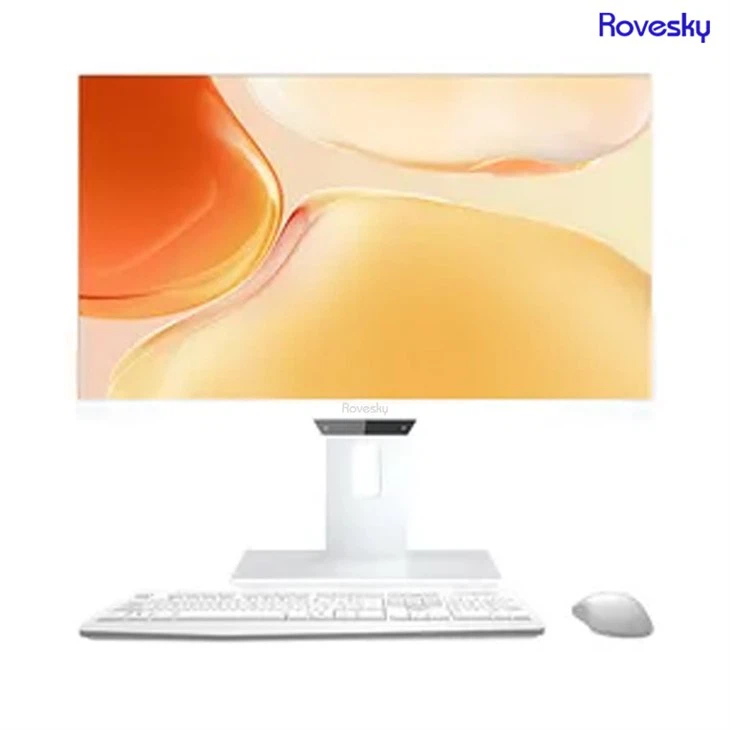
But if you're a professional who works with high - resolution images or videos, or if you're a gamer who wants the best visual experience, then a 4K 27 - inch all - in - one desktop computer screen is the way to go. The sharpness and detail will really enhance your work or gaming experience.
At our company, we offer a range of 27 - inch all - in - one desktop computers with different resolutions and display panel types. We understand that everyone has different needs and budgets, so we want to make sure that you can find the perfect computer for you.
If you're interested in a more portable option, you might want to check out the Rovesky 24 - Inch All - in - One Portable Desktop PC. It's a great choice if you need to move your computer around a lot.
And if you're looking for a 27 - inch all - in - one desktop computer at a direct factory price with customization options, head over to 27 inch All in one Destop Computer direct Factory Price . Customization. We can work with you to create a computer that meets your specific requirements.
In conclusion, the image sharpness of a 27 - inch all - in - one desktop computer screen is determined by a combination of resolution, pixel density, and display panel quality. Whether you're a casual user or a professional, there's a 27 - inch all - in - one desktop computer out there that can provide you with the sharpness and visual experience you need.
If you're interested in purchasing a 27 - inch all - in - one desktop computer or have any questions about image sharpness or our products, don't hesitate to reach out. We're here to help you make the right choice and get the best computer for your needs.
References:
- DisplayMate Technologies: Research on display technologies and image quality.
- TechRadar: Reviews and articles on computer hardware, including all - in - one desktop computers.
- PCMag: In - depth analysis of computer products and their features.