

What is the horizontal and vertical resolution of a 27 - inch all - in - one desktop computer?
As a supplier of 27 - inch all - in - one desktop computers, I often get asked about the horizontal and vertical resolution of these devices. Resolution is a crucial factor when it comes to the visual experience of using a computer, and understanding it can help customers make informed decisions.
What is Resolution?
Resolution refers to the number of distinct pixels that can be displayed in each dimension of a screen. It is typically expressed as the number of horizontal pixels by the number of vertical pixels. For example, a resolution of 1920x1080 means there are 1920 pixels horizontally and 1080 pixels vertically on the screen.
The higher the resolution, the more detailed and sharp the image on the screen will be. This is because more pixels can display finer details, resulting in a clearer and more realistic visual representation.

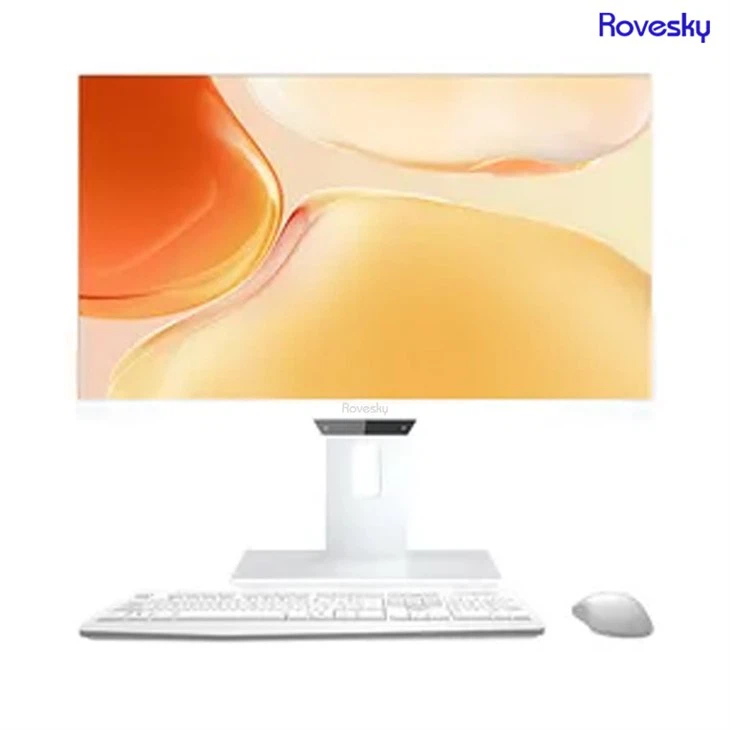
Horizontal and Vertical Resolution of 27 - Inch All - in - One Desktop Computers
In the market, 27 - inch all - in - one desktop computers commonly come with several standard resolutions. One of the most prevalent is Full HD, which has a resolution of 1920x1080. This resolution has been a mainstay in the display industry for a long time. It offers a good balance between image quality and system performance. With 1920 horizontal pixels and 1080 vertical pixels, it can display most content, such as movies, games, and web pages, in a clear and satisfactory manner.
However, as technology advances, higher resolutions have become more accessible. Many 27 - inch all - in - one computers now support Quad HD (QHD) resolution, which is 2560x1440. This resolution provides significantly more pixels than Full HD, approximately 2.25 times as many. As a result, the image appears much sharper, and text and graphics look more detailed. It is especially beneficial for tasks that require high - precision visuals, such as photo and video editing, graphic design, and professional gaming.
Another high - end option is 4K Ultra HD resolution, which has a staggering 3840x2160 pixels. This resolution offers an incredibly immersive visual experience. With 4K, you can enjoy movies and videos in their native resolution, with every detail and color rendered flawlessly. It also provides a great advantage for multitasking, as you can have multiple windows open side by side without sacrificing clarity.
Factors Affecting Resolution Choice
When choosing a 27 - inch all - in - one desktop computer based on resolution, several factors need to be considered.
Firstly, system performance is a key factor. Higher resolutions require more graphics processing power. If your computer's graphics card is not powerful enough to handle a high - resolution display, you may experience slow frame rates in games or choppy video playback. For example, running a game at 4K resolution demands a high - end graphics card to ensure smooth gameplay.
Secondly, the intended use of the computer matters. If you mainly use the computer for general web browsing, word processing, and watching standard - definition videos, Full HD resolution may be sufficient. However, if you are a professional in a creative field or an avid gamer, investing in a computer with a higher resolution like QHD or 4K would be more appropriate.
Thirdly, cost is also a consideration. Generally, computers with higher resolutions tend to be more expensive. This is because the technology required to produce high - resolution displays is more advanced and costly. So, you need to balance your budget with your requirements.
Our Offerings
As a supplier, we offer a wide range of 27 - inch all - in - one desktop computers with different resolutions to meet the diverse needs of our customers. Whether you are looking for an affordable Full HD computer for everyday use or a high - end 4K machine for professional work, we have the right product for you.
If you are interested in a more portable option, you can check out our Rovesky 24 - Inch All - in - One Portable Desktop PC. It also offers a great display experience with a suitable resolution for its size.
And if you are specifically interested in our 27 - inch all - in - one computers, you can find them at 27 inch All in one Computer direct Factory Price. We provide these computers at direct factory prices, ensuring that you get the best value for your money.
Importance of Resolution in Different Use Cases
Everyday Computing
For most people, their all - in - one computer is used for everyday tasks such as checking emails, browsing social media, and watching online videos. In these scenarios, Full HD resolution is usually sufficient. It allows for a clear and comfortable viewing experience without putting too much strain on the computer's resources. You can easily read text, view images, and watch videos without any significant loss of quality.
Professional Work
In the professional realm, the choice of resolution becomes even more critical. For photographers, a high - resolution display like QHD or 4K is essential. It enables them to view their images in great detail, making it easier to spot flaws, adjust colors, and perform other post - processing tasks. Video editors also benefit from high - resolution displays as they can see every frame of the video with precision, ensuring a high - quality final product.
Graphic designers rely on accurate color representation and sharp details. A high - resolution display helps them create and edit graphics with greater accuracy. They can work on complex illustrations, logos, and web designs with confidence, knowing that the final output will look exactly as they intended.
Gaming
Gamers are always looking for the best visual experience. High - resolution displays, especially 4K, can take gaming to a whole new level. Games look more immersive, with realistic textures, detailed environments, and smooth motion. However, as mentioned earlier, high - resolution gaming requires a powerful graphics card to maintain high frame rates. Many modern games are optimized for 4K resolution, and playing them on a 27 - inch 4K all - in - one computer can be an incredibly enjoyable experience.
Conclusion
In conclusion, the horizontal and vertical resolution of a 27 - inch all - in - one desktop computer plays a vital role in determining the quality of the visual experience. Whether you choose Full HD, QHD, or 4K resolution depends on your specific needs, budget, and system capabilities.
If you are in the market for a 27 - inch all - in - one desktop computer, we invite you to explore our product range. We are confident that we can provide you with a computer that meets your requirements in terms of resolution and performance. Contact us for more information and to start the procurement negotiation process. We look forward to serving you and helping you find the perfect all - in - one computer for your needs.
References
- DisplayMate Technologies. (2023). Display Resolution Guide.
- TechRadar. (2023). Best All - in - One Computers for 2023.
- PCMag. (2023). Understanding Screen Resolution.