

What is the difference between a high - contrast and a low - contrast office monitor?
In the dynamic landscape of modern office technology, the choice of a monitor can significantly impact productivity, user experience, and overall work quality. Among the various factors to consider when selecting an office monitor, contrast ratio stands out as a crucial specification. A monitor's contrast ratio refers to the difference between the brightest whites and the darkest blacks it can display. In this blog post, we'll delve into the disparities between high - contrast and low - contrast office monitors, exploring their features, benefits, and use cases, as a trusted office monitor supplier.
Understanding Contrast Ratio
Before we dive into the differences between high - contrast and low - contrast monitors, let's first understand what contrast ratio means. It is expressed as a ratio, such as 1000:1. The first number represents the brightness of the white, and the second number represents the brightness of the black. A higher ratio indicates a greater difference between the two extremes, meaning the monitor can display deeper blacks and brighter whites.
High - Contrast Office Monitors
High - contrast monitors typically have a contrast ratio of 3000:1 or higher. These monitors are designed to offer a vivid and immersive visual experience.
- Superior Image Quality: High - contrast monitors can display a wide range of colors with exceptional clarity. The deep blacks enhance the overall image depth, making colors appear more vibrant and realistic. For tasks that require accurate color representation, such as graphic design, photo editing, and video production, a high - contrast monitor is essential. For example, when editing a landscape photo, the deep blacks in the shadows and the bright whites in the highlights can bring out the details and make the image more engaging.
- Enhanced Readability: In an office environment, reading documents, spreadsheets, and presentations is a common task. High - contrast monitors make text stand out clearly against the background, reducing eye strain and improving readability. Whether you're working on a long report or reviewing financial data, the sharp contrast ensures that you can focus on the content without squinting.
- Improved Viewing Angles: High - contrast monitors often come with advanced panel technologies that provide better viewing angles. This means that multiple people can view the screen from different positions without experiencing significant color shifts or loss of contrast. It's ideal for collaborative workspaces where teams need to share and discuss information on the monitor.
One of our popular high - contrast products is the Rovesky 86 - Inch 4K Interactive Smart Whiteboard. With its high contrast ratio, it offers a stunning visual experience for presentations, meetings, and interactive training sessions.
Low - Contrast Office Monitors
Low - contrast monitors usually have a contrast ratio of 1000:1 or lower. While they may not offer the same level of visual performance as high - contrast monitors, they have their own advantages.
- Energy Efficiency: Low - contrast monitors generally consume less power than high - contrast ones. This is because they don't need to generate extremely bright whites or deep blacks, which require more energy. For offices looking to reduce their energy consumption and lower their carbon footprint, low - contrast monitors can be a practical choice.
- Cost - Effective: Low - contrast monitors are often more affordable than high - contrast models. If your office has a limited budget or if you don't require the advanced visual features of a high - contrast monitor, a low - contrast monitor can be a cost - effective solution. They are suitable for basic office tasks such as word processing, email management, and web browsing.
- Reduced Glare: Low - contrast monitors tend to reflect less light, reducing glare in bright office environments. This can be beneficial for users who work near windows or under bright overhead lighting. Glare can cause distractions and eye fatigue, and a low - contrast monitor can help minimize these issues.
Our Buy Direct Factory Price' 19 inch Industrial Panel Computer. Customization OEM/ODM is a great example of a low - contrast monitor that offers reliable performance for industrial and office applications at an affordable price.
Low - Contrast Office Monitors
Low - contrast monitors usually have a contrast ratio of 1000:1 or lower. While they may not offer the same level of visual performance as high - contrast monitors, they have their own advantages.
- Energy Efficiency: Low - contrast monitors generally consume less power than high - contrast ones. This is because they don't need to generate extremely bright whites or deep blacks, which require more energy. For offices looking to reduce their energy consumption and lower their carbon footprint, low - contrast monitors can be a practical choice.
- Cost - Effective: Low - contrast monitors are often more affordable than high - contrast models. If your office has a limited budget or if you don't require the advanced visual features of a high - contrast monitor, a low - contrast monitor can be a cost - effective solution. They are suitable for basic office tasks such as word processing, email management, and web browsing.
- Reduced Glare: Low - contrast monitors tend to reflect less light, reducing glare in bright office environments. This can be beneficial for users who work near windows or under bright overhead lighting. Glare can cause distractions and eye fatigue, and a low - contrast monitor can help minimize these issues.
Our Buy Direct Factory Price' 19 inch Industrial Panel Computer. Customization OEM/ODM is a great example of a low - contrast monitor that offers reliable performance for industrial and office applications at an affordable price.
Use Cases for High - and Low - Contrast Monitors
- High - Contrast Monitors: These are best suited for industries and tasks that demand high - quality visuals. Graphic design studios, advertising agencies, and media production companies rely on high - contrast monitors to ensure that their work meets the highest standards. Additionally, in the finance industry, where analyzing complex charts and graphs is common, high - contrast monitors can help users spot trends and patterns more easily.
- Low - Contrast Monitors: Low - contrast monitors are a good fit for general office work, administrative tasks, and call centers. They are also suitable for educational institutions where multiple monitors are needed, and budget constraints are a concern.
Making the Right Choice
When choosing between a high - contrast and a low - contrast office monitor, consider the following factors:
- Budget: Determine how much you're willing to spend on a monitor. High - contrast monitors are generally more expensive, so if cost is a major factor, a low - contrast monitor may be the better option.
- Work Requirements: Assess the nature of your work. If you're involved in creative or data - intensive tasks, a high - contrast monitor is likely to enhance your productivity. For routine office work, a low - contrast monitor may suffice.
- Number of Users: If multiple people will be viewing the monitor simultaneously, a high - contrast monitor with good viewing angles may be more appropriate.
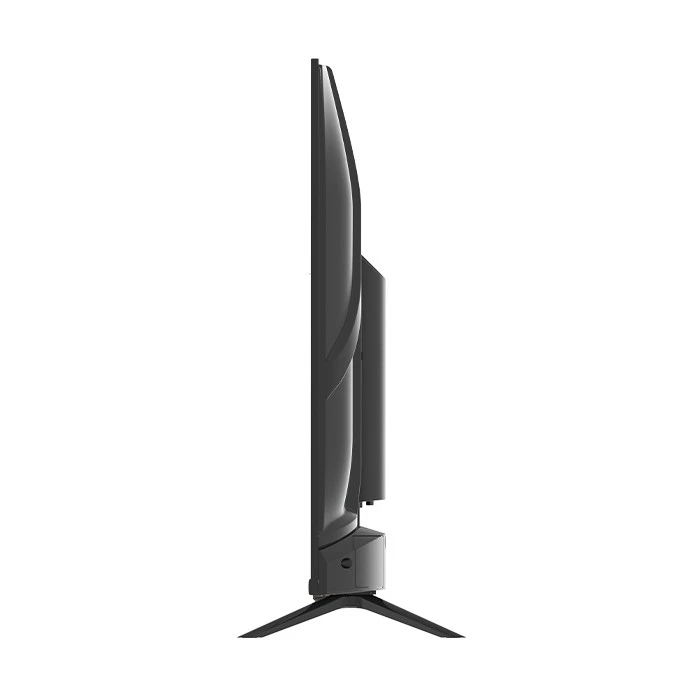
We also offer the Rovesky 43 - Inch Smart Android TV, which can be used as an office monitor in some scenarios, providing a balance between cost and performance.

Conclusion
In conclusion, both high - contrast and low - contrast office monitors have their own strengths and are suitable for different needs. As an office monitor supplier, we understand the importance of finding the right monitor for your specific requirements. Whether you need a high - end monitor for professional work or a budget - friendly option for general office use, we have a wide range of products to choose from.
If you're interested in learning more about our office monitors or have any questions about which monitor is right for your business, please don't hesitate to contact us for procurement discussions. We're here to help you make an informed decision and provide you with the best visual solution for your office.
References
- "Monitor Buying Guide", PCMag.
- "Understanding Contrast Ratio in Monitors", TechRadar.