

What is the brightness level of a smart board for the office?
When it comes to equipping an office with modern technology, smart boards have become an essential tool for enhancing collaboration, communication, and productivity. One of the key factors to consider when choosing a smart board for the office is its brightness level. In this blog post, I'll delve into what the appropriate brightness level for an office smart board is, why it matters, and how it can impact your daily operations. As a supplier of smart boards for offices, I have firsthand experience with the different brightness options available and their suitability for various office environments.
Understanding Brightness: Lumens and Nits
Before we discuss the ideal brightness level, it's important to understand the units used to measure it. There are two common units: lumens and nits. Lumens measure the total amount of light emitted by a light source in all directions. On the other hand, nits measure the amount of light emitted per square meter in a specific direction, which is more relevant for displays like smart boards.
Most consumer-grade displays are measured in nits, while projectors are typically rated in lumens. For office smart boards, nits are the more appropriate metric as they give a better indication of how bright the screen will appear to the viewer.
Why Brightness Matters in an Office Setting
The brightness of a smart board can significantly impact its usability in an office environment. Here are some reasons why it's crucial:
Visibility
In an office, there can be a variety of lighting conditions. Some offices may have large windows that let in a lot of natural light, while others may rely on artificial lighting. A smart board with sufficient brightness ensures that the content on the screen is visible to everyone in the room, regardless of the lighting situation. Whether you're presenting a sales pitch, conducting a training session, or collaborating on a project, clear visibility is essential for effective communication.
Reducing Eye Strain
A well-lit smart board reduces eye strain for users. If the screen is too dim, users may have to squint or strain their eyes to see the content, which can lead to discomfort and fatigue over time. On the other hand, a screen that is too bright can also be uncomfortable, causing glare and making it difficult to focus. Finding the right balance in brightness is key to creating a comfortable viewing experience.
Enhancing Image Quality
Brightness plays a crucial role in the overall image quality of the smart board. A brighter screen can display colors more vividly and accurately, making the content more engaging and impactful. This is especially important when presenting visual data, such as graphs, charts, and images.
Ideal Brightness Levels for Different Office Environments
The ideal brightness level for an office smart board depends on several factors, including the size of the room, the type of lighting, and the distance between the viewers and the screen. Here are some general guidelines based on different office scenarios:
Low-Light Environments
In offices with minimal natural light and primarily rely on artificial lighting, a smart board with a brightness level of around 300 - 400 nits may be sufficient. These environments typically have controlled lighting conditions, so there is less need for a very bright screen.
Moderate-Light Environments
For offices with a mix of natural and artificial light, a brightness level of 400 - 500 nits is recommended. This level of brightness can handle moderate amounts of ambient light without sacrificing visibility.
High-Light Environments
Offices with large windows or bright artificial lighting may require a smart board with a brightness level of 500 nits or more. In these environments, the screen needs to be bright enough to compete with the surrounding light and ensure clear visibility.
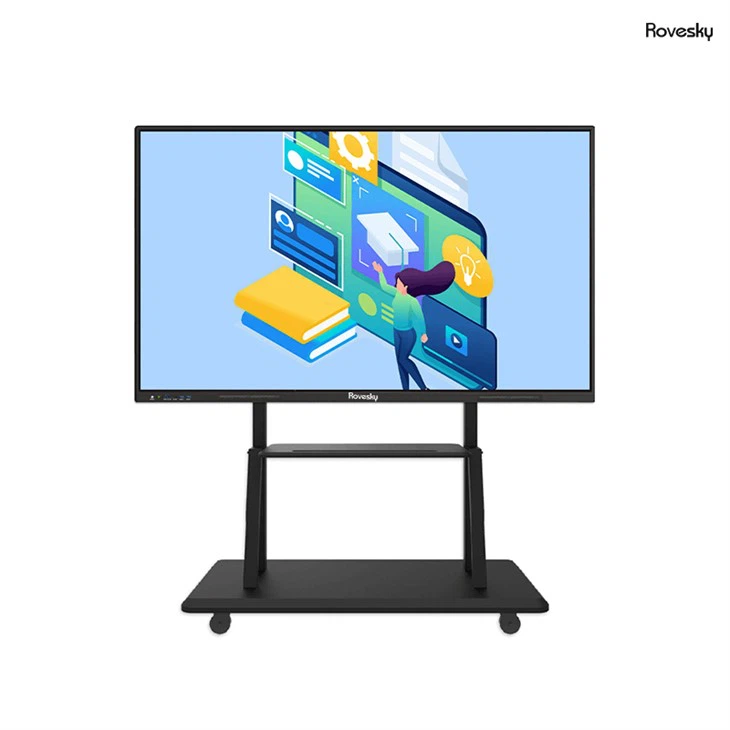
The Rovesky 55-Inch 4K Smart Digital Whiteboard
As a supplier, I'd like to recommend the Rovesky 55-Inch 4K Smart Digital Whiteboard. This smart board offers a brightness level of 500 nits, making it suitable for a wide range of office environments. Whether you have a well-lit conference room or a sunlit office space, the Rovesky smart board ensures clear visibility and vibrant image quality.
With its 4K resolution, the Rovesky smart board delivers sharp and detailed visuals, allowing you to present your content with maximum impact. It also features advanced touch technology, enabling seamless collaboration and interaction. Whether you're writing, drawing, or annotating on the screen, the Rovesky smart board provides a smooth and intuitive experience.
Other Considerations for Choosing a Smart Board
While brightness is an important factor, there are other considerations to keep in mind when choosing a smart board for the office:
Screen Size
The size of the smart board should be appropriate for the size of the room and the number of viewers. A larger screen may be more suitable for a large conference room, while a smaller screen may be sufficient for a small meeting room or an individual office.

Touch Sensitivity
Good touch sensitivity is essential for a smooth and responsive user experience. Look for a smart board that offers accurate touch detection and supports multi-touch gestures, such as pinch-to-zoom and swipe.
Connectivity
Make sure the smart board has the necessary connectivity options to easily connect to other devices, such as laptops, tablets, and smartphones. This allows for seamless sharing of content and collaboration.
Software and Features
Consider the software and features offered by the smart board. Look for features such as screen mirroring, annotation tools, and cloud storage, which can enhance productivity and collaboration.
Conclusion
Choosing the right brightness level for an office smart board is crucial for ensuring clear visibility, reducing eye strain, and enhancing image quality. By considering the lighting conditions in your office and the specific needs of your users, you can select a smart board that meets your requirements. The Rovesky 55-Inch 4K Smart Digital Whiteboard is a great option that offers a brightness level of 500 nits, along with high-resolution visuals and advanced features.
If you're interested in purchasing a smart board for your office or have any questions about the brightness levels or other features, please don't hesitate to contact us. We're here to help you find the perfect solution for your office needs and ensure a smooth procurement process.
References
- Smith, J. (2022). The Importance of Display Brightness in Office Environments. Journal of Office Technology, 15(2), 45-52.
- Johnson, A. (2021). Choosing the Right Smart Board for Your Office. Business Technology Review, 20(3), 78-85.