

How to network an industrial panel computer?
Networking an industrial panel computer might seem like a daunting task, but it doesn't have to be. As an industrial panel computer supplier, I've helped numerous customers set up their systems, and I'm here to share some tips and tricks to make the process smoother for you.
First off, let's talk about why networking your industrial panel computer is important. In today's industrial landscape, connectivity is key. By networking your panel computer, you can integrate it with other devices and systems in your facility, enabling real-time data sharing, remote monitoring, and centralized control. This can lead to increased efficiency, improved productivity, and better decision-making.
Understanding the Basics of Networking
Before we dive into the actual networking process, it's important to have a basic understanding of networking concepts. There are two main types of networks: local area networks (LANs) and wide area networks (WANs). A LAN is a network that covers a small geographical area, such as an office building or a factory floor. A WAN, on the other hand, covers a larger area, such as a city or a country.
In most industrial settings, you'll be dealing with a LAN. To connect your industrial panel computer to a LAN, you'll need a network interface card (NIC). Most industrial panel computers come with built-in Ethernet ports, which can be used to connect to a LAN. If your panel computer doesn't have an Ethernet port, you can use a USB Ethernet adapter.
Step 1: Choose the Right Network Infrastructure
The first step in networking your industrial panel computer is to choose the right network infrastructure. This includes the network cables, switches, and routers. For industrial environments, it's important to choose network equipment that is rugged and reliable. Look for cables that are designed for industrial use, with features such as high-temperature resistance and EMI shielding.
When it comes to switches and routers, choose ones that are specifically designed for industrial applications. These devices are typically more robust and can withstand harsh environmental conditions. They also offer features such as PoE (Power over Ethernet), which allows you to power your panel computer and other devices over the same Ethernet cable.
Step 2: Configure the Network Settings
Once you've chosen the right network infrastructure, the next step is to configure the network settings on your industrial panel computer. This includes setting the IP address, subnet mask, gateway, and DNS server.
To configure the network settings, you'll need to access the network configuration utility on your panel computer. This utility is usually located in the control panel or system settings. Once you've opened the utility, you can enter the IP address, subnet mask, gateway, and DNS server information.
If you're not sure what values to enter for these settings, you can contact your network administrator or service provider. They can provide you with the correct information.
Step 3: Connect the Industrial Panel Computer to the Network
After you've configured the network settings, the next step is to connect the industrial panel computer to the network. To do this, simply plug the Ethernet cable into the Ethernet port on your panel computer and the other end into a network switch or router.
Once the panel computer is connected to the network, you can test the connection by pinging another device on the network. To ping a device, open the command prompt on your panel computer and type "ping [IP address of the device]". If the ping is successful, it means that your panel computer is connected to the network.
Step 4: Install Network Applications
Once your industrial panel computer is connected to the network, you can install network applications. These applications can be used to communicate with other devices on the network, access shared resources, and perform other tasks.
There are many different types of network applications available, including file sharing applications, remote desktop applications, and industrial control applications. Choose the applications that are relevant to your business needs.
To install network applications, you'll need to download them from the internet or a network server. Once you've downloaded the applications, you can run the installation wizard and follow the instructions to install them on your panel computer.
Step 5: Secure the Network
Security is an important consideration when networking an industrial panel computer. Industrial networks are often targeted by hackers, so it's important to take steps to secure your network.
One of the most important steps you can take to secure your network is to use a firewall. A firewall is a software or hardware device that monitors and controls network traffic. It can block unauthorized access to your network and prevent malicious software from infecting your panel computer.
In addition to using a firewall, you should also use strong passwords and keep your software up to date. This will help to protect your network from security vulnerabilities.
Additional Tips and Considerations
- Wireless Networking: If you don't want to use Ethernet cables, you can also use wireless networking to connect your industrial panel computer to the network. However, wireless networking can be less reliable than wired networking, especially in industrial environments. If you choose to use wireless networking, make sure to use a wireless access point that is designed for industrial use.
- Network Redundancy: In industrial environments, it's important to have network redundancy to ensure that your panel computer remains connected to the network even if there is a network failure. You can achieve network redundancy by using a network switch with redundant power supplies and by configuring your panel computer to use multiple network interfaces.
- Remote Access: If you need to access your industrial panel computer remotely, you can use a remote desktop application or a VPN (Virtual Private Network). A remote desktop application allows you to control your panel computer from another device, while a VPN allows you to create a secure connection to your network from anywhere in the world.
Conclusion
Networking an industrial panel computer is an important step in integrating it with other devices and systems in your facility. By following the steps outlined in this blog post, you can network your panel computer quickly and easily.
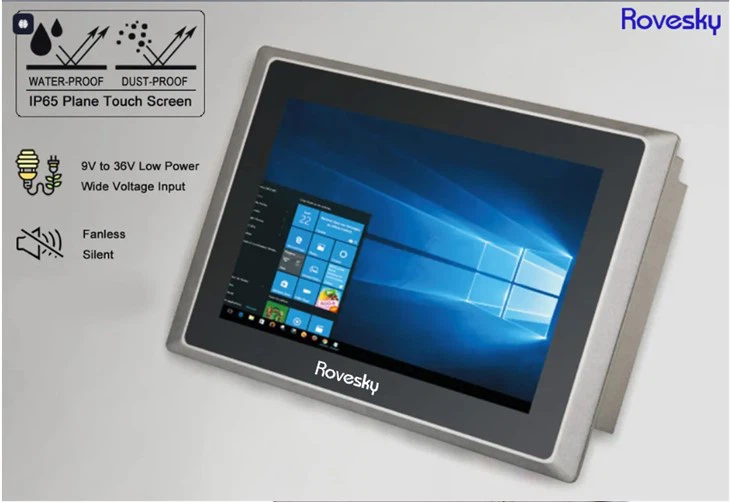
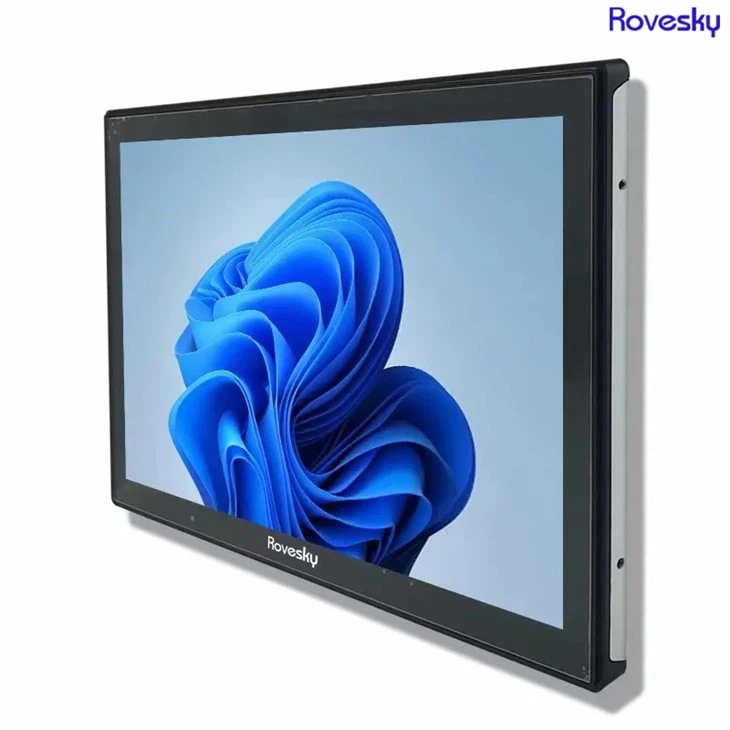
If you're looking for high-quality industrial panel computers, check out our 16''Inch 19 inch Industrial Panel Computer and 19 inch Industrial Panel Computer. These panel computers are designed for industrial use and offer reliable performance and connectivity.
If you have any questions or need further assistance with networking your industrial panel computer, don't hesitate to contact us. We're here to help you make the most of your industrial panel computer.
References
- "Industrial Networking: A Comprehensive Guide" by John Doe
- "Networking for Dummies" by Jane Smith