

How to maintain an industrial panel computer?
Hey there! As a supplier of industrial panel computers, I've seen firsthand how crucial it is to keep these machines in top - notch condition. Industrial panel computers are the workhorses of many industries, from manufacturing to logistics, and proper maintenance can significantly extend their lifespan and enhance their performance. In this blog, I'll share some practical tips on how to maintain an industrial panel computer.
1. Keep it Clean
Dust, dirt, and grime can be the biggest enemies of an industrial panel computer. These particles can accumulate inside the device, clogging fans and vents, and causing overheating. They can also settle on the screen, affecting visibility.
- External Cleaning: Use a soft, lint - free cloth to wipe the exterior of the computer regularly. For stubborn stains, you can slightly dampen the cloth with a mild cleaning solution. Avoid using abrasive materials or harsh chemicals as they can scratch the surface or damage the finish.
- Internal Cleaning: If you're comfortable opening the panel computer, you can use compressed air to blow out dust from the internal components. However, this should be done carefully to avoid static electricity damage. Make sure to power off the device and unplug it from the power source before attempting internal cleaning. If you're not confident in doing this yourself, it's best to have a professional technician handle it.
2. Control the Environment
Industrial panel computers are often used in challenging environments, but taking steps to control the surrounding conditions can make a big difference in their longevity.
- Temperature: Extreme temperatures can cause the components of the panel computer to expand or contract, leading to mechanical stress and potential failure. Try to keep the operating temperature within the manufacturer's recommended range. In hot environments, you might need to install additional cooling systems, such as fans or air conditioners. In cold environments, heaters can be used to prevent the components from getting too cold.
- Humidity: High humidity can lead to corrosion of the internal components, while low humidity can cause static electricity buildup. Aim for a relative humidity level between 30% and 70%. If the humidity is too high, you can use dehumidifiers, and if it's too low, humidifiers can be employed.
- Dust and Chemicals: As mentioned earlier, dust can be a major issue. In addition, exposure to chemicals, such as solvents or corrosive gases, can also damage the panel computer. If the computer is used in an area with high levels of dust or chemicals, consider using protective enclosures or filters to keep the harmful substances away from the device.
3. Update Software Regularly
Software updates are not just about getting new features; they're also crucial for maintaining the security and performance of your industrial panel computer.
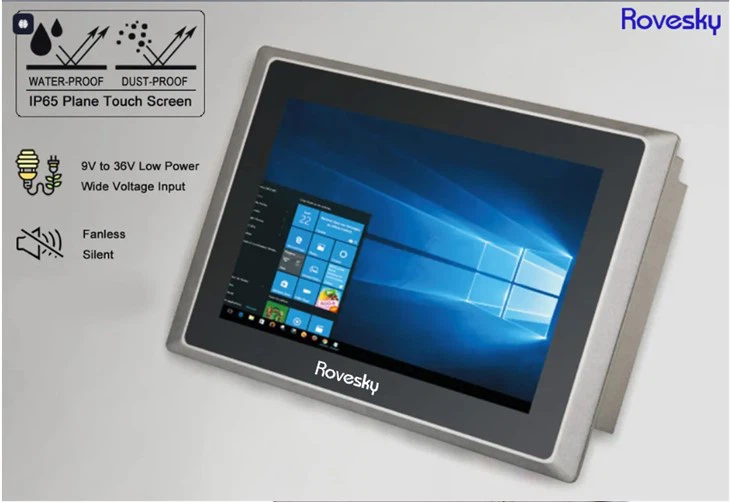
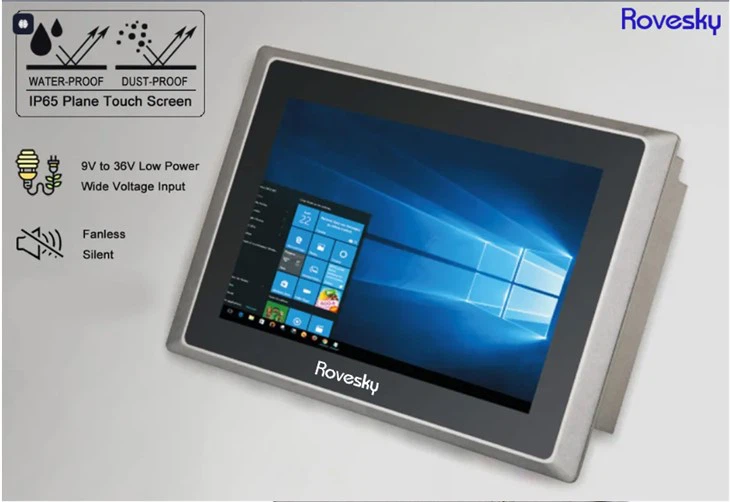
- Operating System Updates: The operating system is the foundation of the panel computer. Regular updates can patch security vulnerabilities, improve system stability, and enhance compatibility with other software and hardware. Set up automatic updates if possible, or at least check for updates regularly and install them as soon as they're available.
- Driver Updates: Device drivers are software programs that allow the operating system to communicate with the hardware components of the panel computer. Keeping the drivers up - to - date ensures that the hardware functions correctly and efficiently. You can usually find driver updates on the manufacturer's website.
- Application Software Updates: If you're using specific applications on the panel computer, make sure to keep them updated as well. Software developers often release updates to fix bugs, improve performance, and add new features.
4. Protect the Screen
The screen is one of the most important parts of an industrial panel computer, and it's also one of the most vulnerable.
- Use a Screen Protector: A screen protector can prevent scratches, fingerprints, and other damage to the screen. There are different types of screen protectors available, such as tempered glass and plastic films. Choose one that suits your needs and budget.
- Avoid Physical Impact: Be careful not to drop or bump the panel computer, as this can cause cracks or other damage to the screen. If the computer is used in a high - traffic area, consider installing protective guards around the screen.
- Clean the Screen Properly: When cleaning the screen, use a soft, microfiber cloth. Avoid using paper towels or other rough materials that can scratch the screen. You can also use a screen - cleaning solution specifically designed for electronic displays.
5. Check the Power Supply
A stable power supply is essential for the proper functioning of an industrial panel computer.
- Use a Surge Protector: Power surges can damage the internal components of the panel computer. A surge protector can help protect the device from sudden spikes in voltage. Make sure to choose a surge protector with an appropriate joule rating for your panel computer.
- Inspect the Power Cord: Regularly check the power cord for any signs of damage, such as fraying or exposed wires. If you notice any issues, replace the power cord immediately to avoid electrical hazards.
- Avoid Power Cycling: Frequent power cycling (turning the computer on and off) can put stress on the components. Try to keep the panel computer powered on for extended periods if possible, and use the sleep or hibernate mode when it's not in use.
6. Conduct Regular Inspections
Regular inspections can help you detect potential problems early and take corrective action before they turn into major issues.
- Visual Inspections: Look for any visible signs of damage, such as cracks, loose connections, or signs of overheating (e.g., discoloration or a burning smell). Check the cables, ports, and buttons to make sure they're in good condition.
- Performance Checks: Monitor the performance of the panel computer, such as its processing speed, memory usage, and display quality. If you notice any significant changes in performance, it could be a sign of a problem. You can use system monitoring tools to keep track of these metrics.
7. Train the Users
Proper training of the users can go a long way in maintaining the industrial panel computer.
- Usage Guidelines: Provide the users with clear guidelines on how to use the panel computer correctly. This includes how to turn it on and off, how to operate the software, and how to handle any issues that may arise.
- Safety Precautions: Educate the users about the safety precautions, such as avoiding exposure to water, not opening the device without proper authorization, and using the device in a safe environment.
If you're in the market for a reliable industrial panel computer, we've got you covered. We offer a wide range of high - quality 16''Inch 19 inch Industrial Panel Computer and 19 inch Industrial Panel Computer that are built to withstand the rigors of industrial use. Whether you need a computer for a small - scale operation or a large - scale industrial facility, we can provide the right solution for you. If you have any questions or are interested in purchasing our products, feel free to reach out to us for a consultation. We're here to help you find the best industrial panel computer for your needs and ensure that it performs at its best for years to come.
References
- Industrial Panel Computer Manufacturer's Manuals
- General Knowledge of Electronics and Computer Maintenance