

How to choose the right industrial panel computer?
When it comes to the industrial sector, having the right tools can significantly impact efficiency, productivity, and overall success. One such crucial tool is the industrial panel computer. As an industrial panel computer supplier, I understand the importance of choosing the right device for your specific industrial needs. In this blog post, I'll guide you through the key factors to consider when selecting an industrial panel computer.
1. Performance Requirements
The first step in choosing an industrial panel computer is to assess your performance requirements. Different industrial applications demand different levels of computing power. For instance, if you're using the panel computer for simple data monitoring and display tasks, a basic processor with lower specifications might suffice. However, if you're dealing with complex data analysis, real - time control, or running multiple applications simultaneously, you'll need a more powerful processor.
Modern industrial panel computers often come with Intel Core processors, which offer a good balance between performance and energy efficiency. Higher - end models may feature multi - core processors that can handle intensive workloads with ease. Additionally, consider the amount of RAM and storage you'll need. More RAM allows for smoother multitasking, while sufficient storage ensures that you can store all your necessary data and applications.
2. Display Quality and Size
The display is one of the most important aspects of an industrial panel computer. You need a clear, sharp, and durable display that can withstand the rigors of the industrial environment.
Display Size
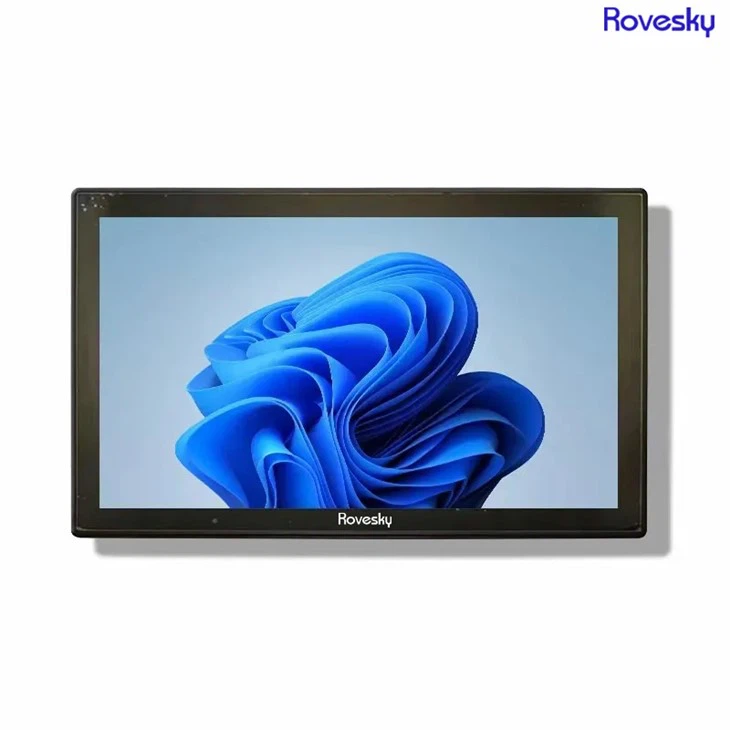
The size of the display should be chosen based on the specific application and the available space. For applications where space is limited, such as in small control cabinets, a smaller display like a 10 - inch or 12 - inch panel computer might be suitable. On the other hand, for applications that require a large - scale view of data, such as in industrial automation or monitoring systems, a larger display like the 16'' 19 inch Industrial Panel Computer would be more appropriate.
Display Resolution
Higher resolution displays provide clearer and more detailed images, which is especially important when dealing with graphical data or text - heavy applications. Look for a panel computer with at least a 1080p resolution for optimal clarity.
Display Technology
Industrial environments can have varying lighting conditions, so it's important to choose a display technology that can handle these conditions. For example, sunlight - readable displays are ideal for outdoor or brightly lit industrial settings, as they can be easily viewed even in direct sunlight.
3. Durability and Reliability
Industrial environments are often harsh, with factors such as dust, moisture, vibrations, and extreme temperatures. Therefore, the industrial panel computer you choose must be durable and reliable.
Enclosure Material
The enclosure of the panel computer should be made of high - quality materials that can protect the internal components from dust, water, and physical damage. Stainless steel or aluminum enclosures are commonly used in industrial panel computers due to their strength and corrosion resistance.
Ingress Protection (IP) Rating
The IP rating indicates the level of protection against dust and water. For industrial applications, a panel computer with a high IP rating, such as IP65 or higher, is recommended. This means that the device is dust - tight and protected against low - pressure water jets from any direction.
Shock and Vibration Resistance
Industrial machinery and equipment can generate significant vibrations, so the panel computer should be able to withstand these vibrations without malfunctioning. Look for models that are designed to meet industry - standard shock and vibration resistance requirements.
4. Connectivity Options
Industrial panel computers need to be able to connect to a variety of devices and systems. Therefore, it's important to consider the connectivity options available.

USB Ports
USB ports are essential for connecting external devices such as keyboards, mice, printers, and USB drives. Make sure the panel computer has enough USB ports to meet your needs.
Ethernet Ports
Ethernet ports are used for network connectivity, allowing the panel computer to communicate with other devices on the network. Multiple Ethernet ports can be useful for redundant network connections or for connecting to different sub - networks.
Serial Ports
Serial ports are still widely used in industrial applications for connecting legacy devices such as barcode scanners, PLCs, and other industrial sensors. If you need to connect to these types of devices, make sure the panel computer has serial ports.
Wireless Connectivity
Wireless connectivity options such as Wi - Fi and Bluetooth can provide added flexibility, allowing the panel computer to connect to wireless devices or networks. This can be useful for applications where wired connections are not practical.
5. Software Compatibility
The industrial panel computer you choose should be compatible with the software applications you need to run. Consider the operating system (OS) that the panel computer supports. Windows is a popular choice for industrial applications due to its wide range of software compatibility. However, Linux - based operating systems are also becoming increasingly popular, especially for applications that require open - source software and greater flexibility.
Make sure to check if the panel computer can support the specific industrial software applications you use, such as SCADA (Supervisory Control and Data Acquisition) systems, MES (Manufacturing Execution Systems), or other custom - developed software.
6. Customization and Support
As an industrial panel computer supplier, I know that every industrial application is unique, and sometimes off - the - shelf solutions may not meet all your requirements. Therefore, it's important to choose a supplier that offers customization options.
OEM/ODM Services
Look for a supplier that provides OEM (Original Equipment Manufacturer) or ODM (Original Design Manufacturer) services. This allows you to customize the panel computer according to your specific needs, such as adding custom - made enclosures, specific input/output interfaces, or custom software. For example, you can Buy Direct Factory Price' 19 inch Industrial Panel Computer. Customization OEM/ODM from us.
Technical Support
Good technical support is essential, especially in the industrial sector where downtime can be costly. Choose a supplier that offers prompt and reliable technical support, including on - site support if necessary. Make sure they have a team of experienced technicians who can quickly diagnose and resolve any issues that may arise.
Conclusion
Choosing the right industrial panel computer is a critical decision that can have a significant impact on your industrial operations. By considering factors such as performance requirements, display quality and size, durability and reliability, connectivity options, software compatibility, and customization and support, you can make an informed decision that meets your specific needs.
If you're in the process of selecting an industrial panel computer or have any questions about our products, feel free to reach out to us for a detailed consultation. We're here to help you find the perfect solution for your industrial applications.
References
- Industrial Automation Handbook
- Technical specifications of various industrial panel computer models