

How does the performance of an all - in - one desktop computer compare to a laptop?
When it comes to choosing the right computing device for your needs, the decision between an all-in-one desktop computer and a laptop can be quite challenging. As a supplier of all-in-one desktop computers, I've had the opportunity to closely observe the performance aspects of both types of devices. In this blog post, I'll delve into a detailed comparison of the performance of all-in-one desktop computers and laptops to help you make an informed decision.
Processing Power
One of the most critical factors in assessing a computer's performance is its processing power. All-in-one desktop computers generally have an edge over laptops in this regard. Due to their larger form factor, all-in-ones can accommodate more powerful processors and larger cooling systems. This allows them to handle resource-intensive tasks such as video editing, 3D modeling, and gaming with greater ease.
For instance, many all-in-one computers are equipped with high-end Intel Core i7 or AMD Ryzen 7 processors. These processors have multiple cores and high clock speeds, enabling them to execute complex instructions quickly. In contrast, laptops, especially ultra-thin and lightweight models, often use lower-power processors to conserve battery life. While these processors are sufficient for everyday tasks like web browsing and word processing, they may struggle with more demanding applications.
However, it's worth noting that some high-performance laptops are also available with powerful processors. These gaming laptops and workstation laptops can rival the processing power of all-in-one desktops. But they typically come at a higher price point and may have shorter battery life.
Graphics Performance
Graphics performance is another crucial aspect, especially for users who engage in gaming, graphic design, or video editing. All-in-one desktop computers again tend to offer better graphics capabilities. They can support dedicated graphics cards, which are much more powerful than the integrated graphics found in most laptops.
Dedicated graphics cards have their own memory and processing units, allowing them to render high-resolution images and videos smoothly. For example, an all-in-one computer with an NVIDIA GeForce RTX series graphics card can provide a stunning gaming experience with high frame rates and detailed visuals. In comparison, laptops with integrated graphics may experience lag and lower image quality when running graphically intensive games or applications.
That being said, there are laptops with dedicated graphics cards available in the market. These laptops are designed for gaming and professional graphics work. But similar to high-performance laptops with powerful processors, they are often bulkier and more expensive.
Storage and Memory
Storage and memory are essential for the smooth operation of a computer. All-in-one desktop computers usually offer more flexibility in terms of storage and memory upgrades. They typically have larger internal hard drives or solid-state drives (SSDs) and can support more RAM.
Most all-in-one computers come with at least 8GB of RAM, and many can be upgraded to 16GB or even 32GB. This allows them to handle multiple applications simultaneously without experiencing slowdowns. In terms of storage, all-in-ones can have large-capacity hard drives, which are ideal for storing a vast amount of data, such as photos, videos, and documents. Additionally, many all-in-ones also support SSDs, which provide faster boot times and quicker access to files.
On the other hand, laptops often have limited storage and memory options. Due to their compact size, it can be challenging to upgrade the storage or memory in a laptop. Most laptops come with a fixed amount of RAM and a pre-installed hard drive or SSD. While some laptops allow for limited upgrades, it's generally more difficult and expensive compared to all-in-one desktop computers.
Display Quality
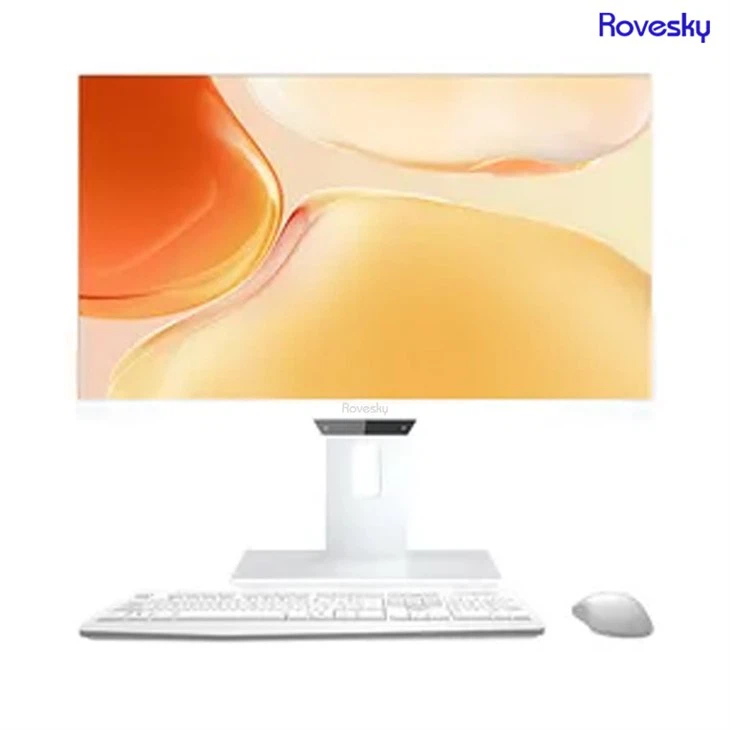
The display is one of the most visible aspects of a computer's performance. All-in-one desktop computers typically have larger and higher-resolution displays than laptops. They are available in sizes ranging from 21.5 inches to 27 inches or even larger, with some models offering 4K resolution.
A large and high-resolution display is beneficial for various tasks, such as watching movies, editing photos, and multitasking. It provides a more immersive experience and allows users to view more content at once. Additionally, all-in-one computers often have better color accuracy and contrast ratios, which are important for graphic designers and photographers.

Laptops, on the other hand, are limited by their portability. Most laptops have displays ranging from 13 inches to 17 inches, with a few larger models available. While some high-end laptops also offer 4K displays, they are less common and more expensive. Moreover, the smaller display size may not be as suitable for tasks that require a large amount of screen real estate.
Battery Life
One area where laptops have a clear advantage over all-in-one desktop computers is battery life. Laptops are designed to be portable, and they can operate on battery power for several hours. This makes them ideal for users who need to work on the go or in areas without access to a power outlet.
The battery life of a laptop can vary depending on the model and usage. Ultra-thin and lightweight laptops typically have longer battery life, ranging from 8 to 12 hours or more. In contrast, all-in-one desktop computers need to be plugged into a power source at all times. They do not have a battery, which means they are not suitable for use in locations without electricity.
Connectivity and Expandability
All-in-one desktop computers usually offer more connectivity options and expandability than laptops. They typically have a wider range of ports, including USB 3.0, HDMI, DisplayPort, and Ethernet ports. This allows users to connect multiple devices, such as external hard drives, printers, and monitors, without the need for additional adapters.
In addition, all-in-one computers can be easily upgraded with additional components, such as a graphics card, RAM, or storage drive. This makes them a more future-proof option, as users can upgrade their computer as their needs change.
Laptops, on the other hand, have limited connectivity options due to their compact size. They often have fewer ports, and some may require adapters to connect certain devices. While some laptops support external docks for expanding connectivity, this adds an additional cost and reduces portability.
Conclusion
In conclusion, both all-in-one desktop computers and laptops have their own strengths and weaknesses in terms of performance. All-in-one desktop computers offer superior processing power, graphics performance, storage and memory options, display quality, connectivity, and expandability. However, they lack portability and battery life. Laptops, on the other hand, are highly portable and have battery life, but they may be limited in terms of performance and expandability.
If you primarily use your computer at home or in an office and need a powerful machine for gaming, graphic design, or other resource-intensive tasks, an all-in-one desktop computer may be the better choice. On the other hand, if you need to work on the go or in different locations, a laptop would be more suitable.
As a supplier of all-in-one desktop computers, I offer a wide range of high-quality all-in-one computers that can meet your specific needs. Whether you're looking for a All-in-One Computer OEM ODM PC Manufacturer China 4K Desktop Solutions or a All-in-One Computer |PC Manufacturer China | Touch & 4K Desktop Solutions, I can provide you with the right solution.
If you're interested in learning more about our all-in-one desktop computers or would like to discuss your procurement needs, please feel free to contact us. We look forward to working with you to find the perfect computing solution for your business or personal use.
References
- Computer Performance Benchmarking Reports from Industry Analysts
- Technical Specifications of All-in-One Desktop Computers and Laptops from Leading Manufacturers