

How does a smart mobile display screen handle color reproduction?
Hey there! As a supplier of smart mobile display screens, I often get asked about how these nifty little screens handle color reproduction. It's a super interesting topic, and I'm stoked to share some insights with you.
First off, let's talk about why color reproduction matters. When you're using your mobile device, whether it's to watch a movie, play a game, or just scroll through social media, you want the colors to look as vibrant, accurate, and true-to-life as possible. A display with poor color reproduction can make images look dull, washed out, or just plain off. And let's face it, nobody wants that!
So, how does a smart mobile display screen achieve great color reproduction? Well, it all starts with the technology behind the screen. There are a few different types of display technologies out there, but the most common ones used in smart mobile devices are LCD (Liquid Crystal Display) and OLED (Organic Light-Emitting Diode).
LCD screens work by using a backlight to illuminate the pixels on the screen. The pixels are made up of tiny liquid crystals that can be controlled to block or allow light to pass through, creating different colors. To achieve accurate color reproduction, LCD screens use a color filter array to separate the light into different colors (usually red, green, and blue). The amount of light that passes through each color filter is then adjusted to create the desired color.
One of the challenges with LCD screens is that they can sometimes struggle to produce deep blacks and high contrast ratios. This is because the backlight is always on, so even when the pixels are supposed to be showing black, there's still some light leaking through. To address this issue, some LCD screens use a technology called local dimming, which allows the backlight to be turned off in specific areas of the screen to create deeper blacks.
OLED screens, on the other hand, work by using organic compounds that emit light when an electric current is applied. Unlike LCD screens, OLED screens don't need a backlight, which means they can produce true blacks and high contrast ratios. Each pixel on an OLED screen can be controlled individually, allowing for more precise color reproduction.
Another advantage of OLED screens is that they have a faster response time than LCD screens. This means that they can display fast-moving images without any blurring or ghosting, making them ideal for watching movies and playing games.
But OLED screens aren't perfect either. One of the main drawbacks of OLED screens is that they can be more expensive to produce than LCD screens. They also have a shorter lifespan than LCD screens, and over time, the organic compounds in the pixels can degrade, causing the colors to fade.
So, which type of display technology is better for color reproduction? Well, it really depends on your needs and preferences. If you're looking for a display with deep blacks, high contrast ratios, and fast response times, then an OLED screen might be the way to go. But if you're on a budget or you're not too concerned about having the absolute best color reproduction, then an LCD screen might be a better option.
In addition to the display technology, there are a few other factors that can affect color reproduction on a smart mobile display screen. One of these factors is the color gamut, which refers to the range of colors that a display can reproduce. The wider the color gamut, the more colors the display can show, which means more vibrant and accurate colors.
Most smart mobile display screens today support the sRGB color gamut, which is the standard color gamut used for web and digital media. However, some high-end devices also support wider color gamuts, such as DCI-P3 and Adobe RGB. These wider color gamuts can produce more vivid and accurate colors, but they're also not as widely supported by content providers, so you might not always be able to take advantage of them.
Another factor that can affect color reproduction is the color calibration. Color calibration is the process of adjusting the display settings to ensure that the colors on the screen are as accurate as possible. Most smart mobile devices come with a default color calibration setting, but you can also adjust the settings yourself to suit your preferences.
To calibrate the color on your smart mobile device, you can use a color calibration tool or app. These tools allow you to adjust the brightness, contrast, color temperature, and other settings to achieve the best possible color reproduction. You can also use a colorimeter, which is a device that measures the color accuracy of a display, to get even more precise results.
At our company, we take color reproduction very seriously. We use the latest display technologies and manufacturing processes to ensure that our smart mobile display screens offer the best possible color performance. We also have a team of experts who are dedicated to testing and calibrating our displays to ensure that they meet our high standards of quality.
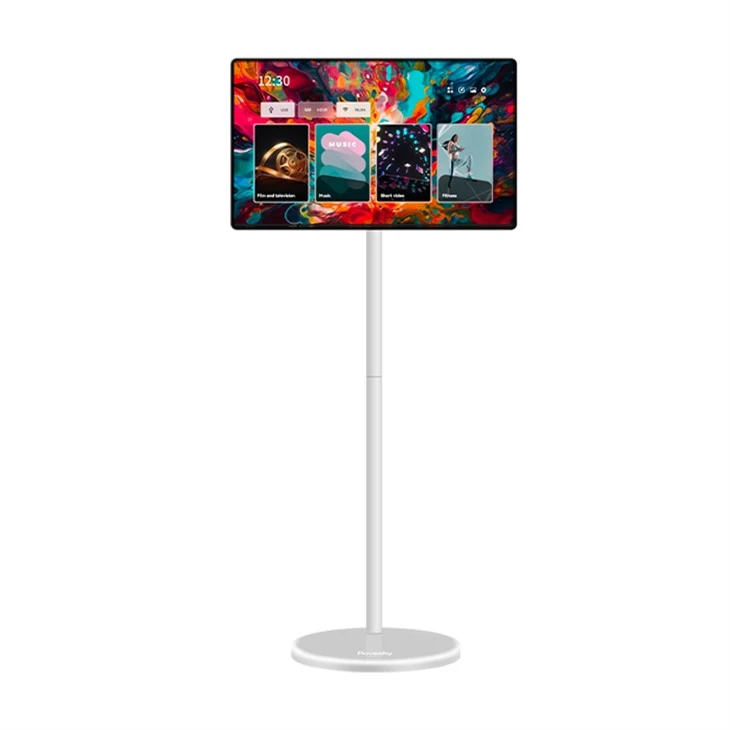
If you're in the market for a smart mobile display screen, we have a wide range of products to choose from. Check out our 23.8-Inch Stand By Me Smart Portable TV.supplier, 4K Portable Stand By Me Tv, and 32inch, 4k, Portable Smart Monitor, Touch Screen for some great options.
Whether you're a consumer looking for a new smart mobile device or a business looking to source display screens for your products, we'd love to hear from you. We offer competitive pricing, high-quality products, and excellent customer service. So, if you're interested in learning more about our smart mobile display screens or you have any questions, please don't hesitate to reach out. We're here to help you find the perfect display solution for your needs.
References:

- "Display Technology: LCD vs. OLED." TechRadar.
- "Color Gamut: What It Is and Why It Matters." PCMag.
- "How to Calibrate Your Monitor for Accurate Colors." Lifewire.