

How does a smart board support collaborative learning in the classroom?
In the dynamic landscape of modern education, collaborative learning has emerged as a cornerstone for fostering critical thinking, communication skills, and teamwork among students. The integration of smart boards in classrooms has revolutionized the way educators approach collaborative learning, offering a powerful tool that enhances engagement, interaction, and productivity. As a supplier of smart boards for classrooms, I have witnessed firsthand the transformative impact these devices have on the learning experience. In this blog post, I will explore how a smart board supports collaborative learning in the classroom and why it is an essential investment for educational institutions.
Enhanced Engagement and Interaction
One of the primary benefits of using a smart board in the classroom is its ability to enhance student engagement and interaction. Traditional teaching methods often rely on passive learning, where students listen to lectures and take notes. In contrast, a smart board allows educators to create interactive lessons that actively involve students in the learning process. With features such as touchscreen technology, multimedia integration, and real-time feedback, smart boards make learning more engaging and enjoyable for students.
For example, educators can use a smart board to display videos, images, and interactive simulations that illustrate complex concepts in a visual and engaging way. This not only helps students better understand the material but also makes learning more memorable. Additionally, smart boards allow students to interact with the content directly, using their fingers or a stylus to manipulate objects, solve problems, and collaborate with their peers. This hands-on approach to learning encourages active participation and helps students develop critical thinking and problem-solving skills.
Real-Time Collaboration
Another significant advantage of using a smart board in the classroom is its ability to facilitate real-time collaboration among students. With a smart board, students can work together on projects, solve problems, and share ideas in real-time, regardless of their physical location. This is particularly beneficial for group work, where students can collaborate on a single document or project simultaneously, without the need for multiple copies or printouts.
For instance, educators can use a smart board to create a shared workspace where students can contribute to a group project in real-time. Students can use the touchscreen to add text, images, and drawings to the project, and they can also comment on each other's work and provide feedback. This collaborative approach to learning not only helps students develop teamwork and communication skills but also allows them to learn from each other's perspectives and ideas.
Differentiated Instruction
Smart boards also support differentiated instruction, which is an approach to teaching that tailors instruction to meet the individual needs and learning styles of students. With a smart board, educators can create customized lessons and activities that are tailored to the specific needs and interests of their students. This helps ensure that all students are engaged and challenged in the learning process, regardless of their academic level or learning style.
For example, educators can use a smart board to create interactive quizzes and assessments that adapt to the individual performance of each student. If a student answers a question correctly, the next question may be more challenging, while if a student answers a question incorrectly, the next question may be easier. This personalized approach to learning helps students stay motivated and engaged, and it also allows educators to identify areas where students may need additional support or instruction.
Access to Digital Resources
In addition to enhancing engagement, collaboration, and differentiated instruction, smart boards also provide students with access to a wealth of digital resources. With a smart board, students can access online textbooks, educational videos, interactive simulations, and other digital resources that supplement the traditional curriculum. This not only helps students expand their knowledge and understanding of the subject matter but also allows them to learn at their own pace and in their own way.
For instance, educators can use a smart board to access online educational platforms such as Khan Academy, TED-Ed, and Coursera, which offer a wide range of free educational resources for students of all ages and academic levels. Students can use these resources to review concepts, explore new topics, and practice their skills outside of the classroom. This access to digital resources helps students become more independent learners and prepares them for success in the digital age.
Case Study: Rovesky 65'' 4K Touchscreen Whiteboard
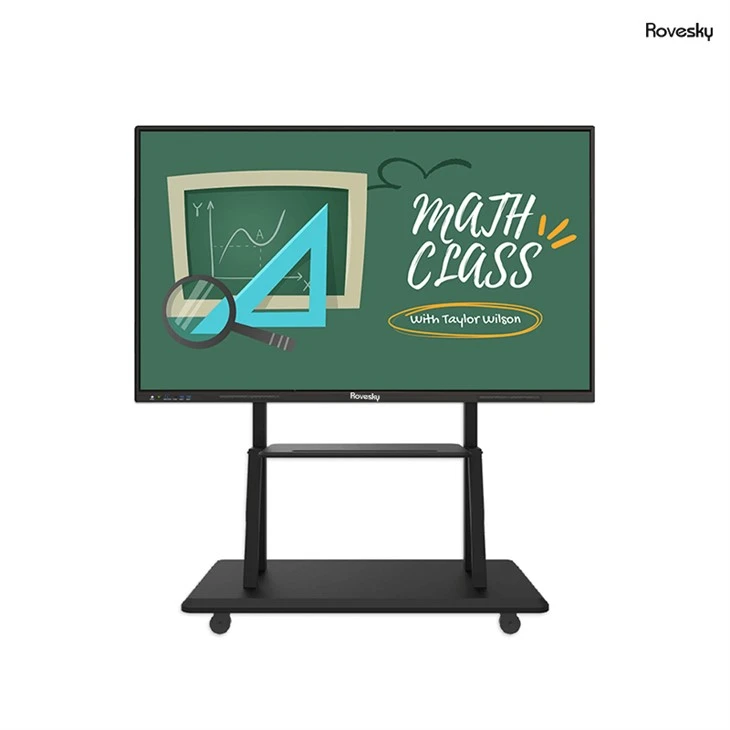
To illustrate the benefits of using a smart board in the classroom, let's take a look at a case study of the Rovesky 65'' 4K Touchscreen Whiteboard. This smart board is specifically designed for use in classrooms and offers a range of features and benefits that support collaborative learning.
The Rovesky 65'' 4K Touchscreen Whiteboard features a high-resolution 4K display that provides clear and sharp images, making it ideal for displaying videos, images, and interactive content. The touchscreen technology allows students to interact with the content directly, using their fingers or a stylus to manipulate objects, solve problems, and collaborate with their peers. The smart board also supports multi-touch functionality, which means that multiple students can interact with the content simultaneously, making it perfect for group work.
In addition to its touchscreen capabilities, the Rovesky 65'' 4K Touchscreen Whiteboard also offers a range of software tools and applications that support collaborative learning. For example, the smart board comes with a built-in annotation tool that allows students to add text, images, and drawings to the screen, making it easy to take notes, highlight important information, and collaborate on projects. The smart board also supports screen sharing, which means that students can share their screens with their peers and instructors, allowing for real-time collaboration and feedback.

Conclusion
In conclusion, a smart board is a powerful tool that supports collaborative learning in the classroom. By enhancing engagement, facilitating real-time collaboration, supporting differentiated instruction, and providing access to digital resources, smart boards help educators create a more interactive and engaging learning environment that prepares students for success in the 21st century. As a supplier of smart boards for classrooms, I highly recommend investing in a high-quality smart board that is specifically designed for educational use. The Rovesky 65'' 4K Touchscreen Whiteboard is an excellent choice for classrooms, offering a range of features and benefits that support collaborative learning.
If you are interested in learning more about how a smart board can support collaborative learning in your classroom or if you would like to discuss purchasing options, please do not hesitate to contact us. We are happy to provide you with more information and to help you find the right smart board for your needs.
References
- Johnson, L., Adams Becker, S., Estrada, V., & Freeman, A. (2015). NMC Horizon Report: 2015 Higher Education Edition. New Media Consortium.
- OECD. (2015). Students, Computers and Learning: Making the Connection. OECD Publishing.
- Warschauer, M., & Matuchniak, T. (2010). New technologies in literacy education: The case for a balanced approach. Journal of Literacy Research, 42(1), 1-21.