

How do I protect a smart board for the office from scratches?
Hey there! As a supplier of smart boards for offices, I've seen my fair share of scratched and damaged boards. It's a real bummer when a brand - new smart board starts looking shabby because of scratches. So, I thought I'd share some tips on how to protect a smart board for the office from scratches.
First off, let's talk about the importance of using the right writing tools. Not all markers and styluses are created equal. Using the wrong ones can cause scratches on the surface of the smart board. Most office smart boards come with their own recommended writing tools. For example, the Rovesky 55 - Inch 4K Smart Digital Whiteboard has a smooth surface that requires a soft - tipped stylus or specific dry - erase markers. Avoid using hard - tipped pens or sharp objects on the board. These can easily leave permanent scratches. If you're not sure which tools are suitable for your smart board, check the user manual or contact the manufacturer.
Another crucial step is to clean the smart board properly. Dust, dirt, and debris can act like sandpaper on the board's surface, causing scratches over time. But you can't just use any old cleaning solution. Harsh chemicals can damage the board's coating and make it more prone to scratches. Instead, use a soft, microfiber cloth and a mild cleaning solution recommended by the smart board manufacturer. Gently wipe the board in a circular motion, being careful not to apply too much pressure. Make sure to clean the board regularly to prevent the build - up of dirt.
When it comes to installation and placement, you need to be really careful. The location of the smart board can have a big impact on its susceptibility to scratches. Avoid placing the board in high - traffic areas where it can be accidentally bumped or hit by people or objects. Also, make sure that the installation is done correctly. A poorly installed smart board may shift or vibrate, which can cause internal damage and eventually lead to surface scratches. If you're not confident in your installation skills, it's best to hire a professional.
Now, let's talk about covers and protectors. One of the simplest ways to protect your smart board from scratches is to use a protective cover. There are various types of covers available in the market, from simple plastic sheets to more advanced, custom - fit covers. A good cover can act as a barrier between the board and potential scratching objects. It can also protect the board from dust and other environmental factors. When choosing a cover, make sure it fits your smart board properly. A loose - fitting cover may not provide adequate protection and could even cause scratches if it rubs against the board.
Training your office staff is also super important. If your employees don't know how to use the smart board correctly, they're more likely to cause scratches. Provide proper training on how to use the recommended writing tools, how to clean the board, and how to handle it in general. Make sure everyone understands the importance of protecting the smart board. You can even create a set of guidelines or a quick reference sheet for your employees to follow.
In addition to these measures, it's a good idea to have a maintenance schedule. Regularly inspect the smart board for any signs of scratches or damage. If you notice a small scratch early on, you may be able to repair it before it gets worse. Some smart board manufacturers offer repair kits or services that can help fix minor scratches. By staying on top of maintenance, you can extend the lifespan of your smart board and keep it looking new for longer.
Let's not forget about the storage. If you need to store the smart board for any reason, make sure you do it properly. Wrap the board in a soft, protective material and store it in a dry, clean place. Avoid stacking heavy objects on top of the board, as this can cause pressure marks and scratches.
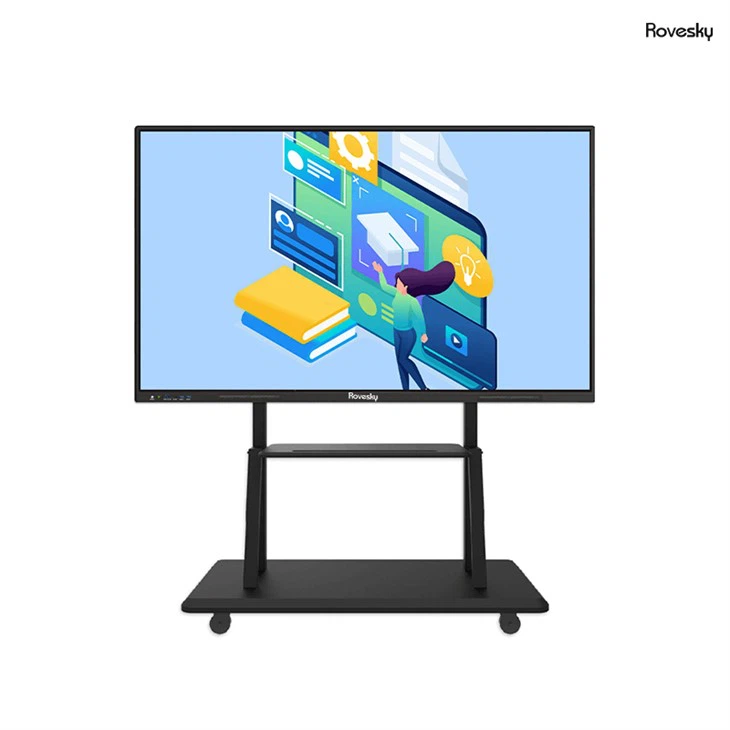

Finally, when it comes to purchasing a smart board, choose a high - quality product. A well - made smart board is more likely to be scratch - resistant. Brands like Rovesky are known for their durability and quality. The Rovesky 55 - Inch 4K Smart Digital Whiteboard is a great example. It has a high - quality surface that is less likely to scratch compared to some of the cheaper alternatives on the market.
In conclusion, protecting a smart board for the office from scratches requires a combination of proper use, cleaning, installation, and maintenance. By following these tips, you can keep your smart board looking and functioning like new for a long time. If you're in the market for a new office smart board or need more advice on protecting your existing one, don't hesitate to reach out. We're here to help you make the best decision for your office needs. Whether you're a small startup or a large corporation, a scratch - free smart board can make a big difference in your work environment.
References
- Manufacturer's user manuals for various smart boards
- Industry research on smart board protection and maintenance