

Do smart boards for the classroom have a touch - screen calibration function?
In today's digital age, the integration of advanced technology in classrooms has become a norm rather than an exception. Smart boards are at the forefront of this educational revolution, transforming traditional teaching methods into interactive and engaging learning experiences. One of the critical features that users often inquire about is the touch - screen calibration function. As a supplier of smart boards for the classroom, I am here to delve into this topic and provide you with in - depth insights.
Understanding Touch - Screen Calibration
Touch - screen calibration is the process of aligning the physical touch points on a screen with the corresponding digital coordinates. In simpler terms, it ensures that when a user touches a specific point on the smart board's surface, the system accurately registers that touch and performs the intended action. This is crucial in a classroom setting, where teachers and students rely on precise interactions with the board to present information, solve problems, and engage in collaborative activities.
There are several reasons why touch - screen calibration is necessary. Over time, due to factors such as regular use, environmental changes (like temperature and humidity), and physical impacts, the touch - screen may start to deviate from its original calibration. This can lead to inaccurate touch responses, where a touch on one area of the screen may register as a touch on a different location. Such inaccuracies can be extremely frustrating in a classroom environment, disrupting the flow of lessons and hindering effective teaching and learning.
The Importance of Touch - Screen Calibration in Classrooms
In a classroom, smart boards are used for a wide range of activities, from presenting multimedia content to conducting interactive quizzes and demonstrations. Precise touch - screen calibration is essential for these activities to run smoothly.
For example, when a teacher is using a geometry application to teach angles and shapes, they need to be able to accurately draw and measure on the board. If the touch - screen is not calibrated correctly, the drawn lines may not be straight, and the measurements may be inaccurate, leading to confusion among students. Similarly, during a group activity where students are using the board to collaborate on a project, inaccurate touch responses can make it difficult for them to work together effectively.
Moreover, calibration is also important for accessibility. Some students may have special needs that require them to interact with the smart board in a particular way. Ensuring accurate touch - screen calibration can help these students access the educational content more easily and participate fully in classroom activities.
Does Our Classroom Smart Board Have a Touch - Screen Calibration Function?
Yes, our smart boards for the classroom are equipped with a state - of - the - art touch - screen calibration function. We understand the importance of accurate touch responses in an educational setting, and we have designed our products to meet the highest standards of precision.
Our calibration process is user - friendly and can be easily performed by teachers or school technicians. It typically involves following a simple on - screen guide that prompts the user to touch specific points on the screen. The system then analyzes these touch points and adjusts the touch - screen's digital coordinates accordingly. This ensures that the board provides accurate and consistent touch responses at all times.
In addition, our smart boards are designed to maintain their calibration over time. We use high - quality touch - screen technology that is resistant to environmental factors and normal wear and tear. However, we also recommend performing regular calibration checks to ensure optimal performance.
Benefits of Our Smart Board's Calibration Function
1. Enhanced Learning Experience
By providing accurate touch responses, our smart board's calibration function enhances the overall learning experience in the classroom. Teachers can focus on teaching without having to worry about technical glitches, and students can engage more actively with the educational content.
2. Time - Saving
The user - friendly calibration process means that it can be quickly completed, minimizing downtime in the classroom. Teachers can perform the calibration during breaks or before class starts, ensuring that the board is ready for use when needed.

3. Long - Term Reliability
Our smart boards are built to last, and the calibration function helps to maintain their reliability over time. By ensuring accurate touch responses, we reduce the risk of hardware failures and the need for frequent repairs, saving schools both time and money in the long run.
Our Product Range and Features
In addition to the touch - screen calibration function, our smart boards for the classroom come with a host of other features that make them an ideal choice for educational institutions.
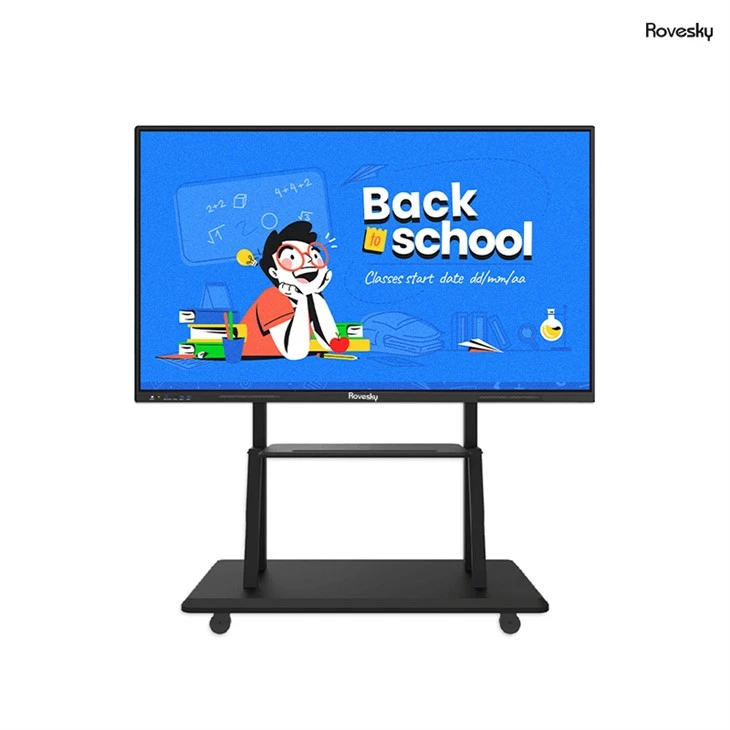
Our Factory Price 65'' 4K Touchscreen Whiteboard is a popular option among schools. It offers a large, high - resolution display that is perfect for presenting multimedia content. The 4K resolution ensures sharp and clear images, making it easier for students to view and understand the educational material.
The board also supports multi - touch technology, allowing multiple users to interact with the screen simultaneously. This is great for group activities and collaborative learning. Additionally, it is compatible with a wide range of educational software and applications, providing teachers with a wealth of resources to enhance their lessons.
How to Maintain the Calibration of Our Smart Board
To ensure that our smart board maintains its calibration over time, we recommend the following:
- Regular Checks: Perform calibration checks at least once a month or more frequently if the board is used intensively.
- Clean the Screen: Keep the touch - screen clean to prevent dirt and debris from affecting the touch responses. Use a soft, dry cloth to clean the screen regularly.
- Avoid Physical Impacts: Try to avoid hitting or pressing too hard on the screen, as this can cause the calibration to shift.
Conclusion
In conclusion, touch - screen calibration is a critical feature for smart boards in the classroom. Our smart boards are designed with this in mind, offering a user - friendly calibration function that ensures accurate and consistent touch responses. With features like high - resolution displays, multi - touch technology, and compatibility with educational software, our products are well - suited to meet the diverse needs of modern classrooms.
If you are interested in our smart boards for the classroom or have any questions about our products, we encourage you to reach out to us for a procurement discussion. We are committed to providing the best educational technology solutions for schools and look forward to helping you enhance the learning experience in your institution.
References
- Smith, J. (2018). The Impact of Smart Boards on Classroom Learning. Journal of Educational Technology, 25(3), 123 - 135.
- Johnson, A. (2019). Touch - Screen Technology in Education: A Review. Educational Technology Research and Development, 32(2), 89 - 102.
- Brown, C. (2020). Maintaining the Performance of Smart Boards in Schools. School Technology Management, 18(4), 56 - 63.