

Can multiple users interact with a smart board for the office simultaneously?
In the contemporary business landscape, the integration of advanced technology has become pivotal for enhancing office efficiency and collaboration. Among the innovative tools that have revolutionized office environments is the smart board. As a leading supplier of smart boards for offices, I often encounter a common question from potential clients: Can multiple users interact with a smart board for the office simultaneously? In this blog post, I will delve into this question, exploring the capabilities, benefits, and considerations of multi - user interaction with office smart boards.
The Capability of Multi - User Interaction
Modern smart boards for offices are designed with cutting - edge technology that enables multiple users to interact with the board at the same time. These boards typically use touch - sensitive screens, which can detect multiple touch points simultaneously. This multi - touch technology allows several people to write, draw, or manipulate digital content on the board concurrently.
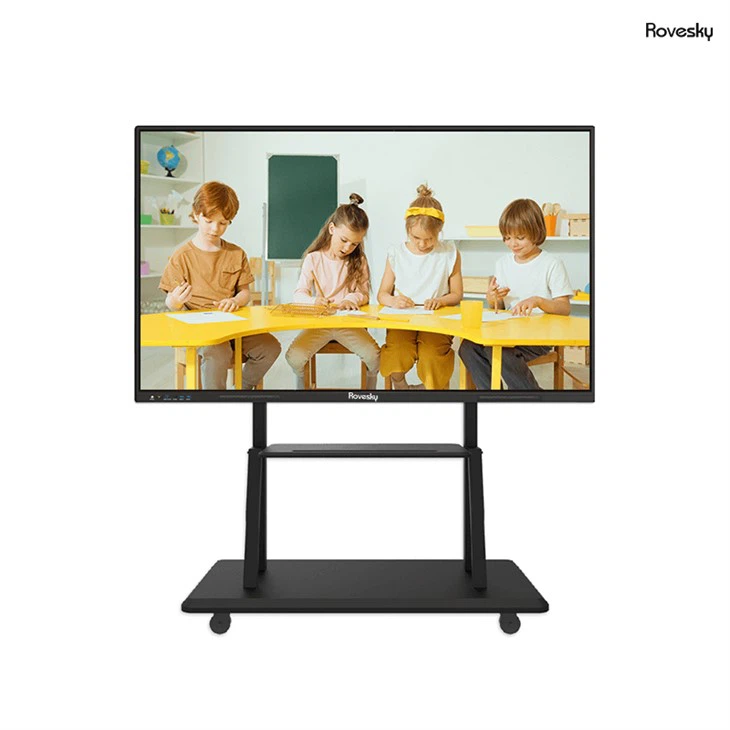
For example, the Rovesky 55 - Inch 4K Smart Digital Whiteboard [/smart - board/smart - board - for - office/55 - inch - smart - board - for - office.html] is equipped with advanced multi - touch sensors. It can recognize up to 20 touch points at once, providing a seamless multi - user experience. This means that in a meeting or collaborative work session, multiple team members can gather around the board and contribute to the discussion by adding their ideas directly on the board.
Benefits of Multi - User Interaction
Enhanced Collaboration
One of the most significant benefits of multi - user interaction with a smart board is the enhancement of collaboration. In a traditional office setting, a single person would typically present information on a whiteboard or projector screen, while others passively listen. With a multi - user smart board, everyone can actively participate in the brainstorming process. Team members can write down their ideas, draw diagrams, and make annotations in real - time, creating a more dynamic and engaging collaborative environment.
For instance, in a marketing team meeting, different members can simultaneously add their thoughts on a new advertising campaign. One person can sketch out a rough layout of the ad, another can jot down key messaging points, and a third can highlight potential target audiences. This real - time collaboration leads to more comprehensive and innovative ideas.
Improved Engagement
Multi - user interaction also boosts engagement among participants. When people are given the opportunity to directly interact with the content on the board, they are more likely to be invested in the discussion. This increased engagement can lead to better decision - making and higher productivity. In a training session, for example, trainees can interact with the training materials on the smart board, ask questions, and solve problems together. This hands - on approach makes the learning experience more enjoyable and effective.
Time Efficiency
In a business environment, time is of the essence. Multi - user smart boards can save time by eliminating the need for back - and - forth communication. Instead of waiting for one person to finish speaking or writing before others can contribute, multiple users can work simultaneously. This streamlines the decision - making process and allows teams to move forward more quickly.
Considerations for Multi - User Interaction
While multi - user interaction with a smart board offers numerous benefits, there are also some considerations that need to be taken into account.
Technical Compatibility
Before implementing a multi - user smart board, it is essential to ensure that the board is compatible with the existing office technology infrastructure. This includes compatibility with operating systems, software applications, and network connections. For example, if the office uses a specific presentation software, the smart board should be able to support it seamlessly. Additionally, a stable network connection is crucial for real - time collaboration, especially when multiple users are interacting with cloud - based content.
User Training
Another consideration is user training. Although smart boards are generally user - friendly, multi - user interaction may require some training for employees to fully utilize the features. Training sessions can teach users how to use the multi - touch functions, share content, and collaborate effectively on the board. This investment in training can pay off in the long run by ensuring that employees can make the most of the smart board's capabilities.
Board Size and Placement
The size and placement of the smart board also matter in a multi - user environment. A board that is too small may not provide enough space for multiple users to interact comfortably. On the other hand, if the board is placed in an inconvenient location, it can hinder the flow of interaction. It is important to choose a board size that suits the number of users and the nature of the activities, and to place the board in a central and accessible location within the meeting room or office space.
Real - World Applications
Multi - user smart boards have a wide range of applications in the office.
Project Management
In project management, a multi - user smart board can be used to track project progress, assign tasks, and manage timelines. Team members can update the project status on the board, add comments, and discuss potential issues. This real - time visibility of the project helps in keeping everyone on the same page and ensures that the project stays on track.
Design and Development
In design and development teams, smart boards are invaluable for visualizing concepts. Graphic designers can draw and edit designs directly on the board, while developers can discuss code structures and algorithms. The ability to have multiple people work on the same design or codebase simultaneously speeds up the development process and improves the quality of the final product.
Conclusion
In conclusion, multiple users can indeed interact with a smart board for the office simultaneously, thanks to the advanced multi - touch technology available in modern smart boards. The benefits of multi - user interaction, such as enhanced collaboration, improved engagement, and time efficiency, make it a valuable addition to any office environment. However, it is important to consider technical compatibility, user training, and board size and placement when implementing a multi - user smart board.
As a supplier of smart boards for offices, I am committed to providing high - quality products that support seamless multi - user interaction. If you are interested in exploring how a multi - user smart board can transform your office collaboration, I encourage you to reach out to us for a consultation. We can help you choose the right smart board for your specific needs and provide the necessary support and training.

References
- "The Impact of Multi - Touch Technology on Office Collaboration" by Smith, J., Journal of Business Technology, 2020.
- "Enhancing Productivity through Smart Board Interaction" by Johnson, A., Office Management Review, 2019.