

Can I use a gaming monitor with a Mac?
Can I use a gaming monitor with a Mac?
As a supplier of gaming monitors, I often encounter this question from customers who are Mac users. The short answer is yes, you can use a gaming monitor with a Mac. However, there are several factors to consider to ensure the best compatibility and performance.
Compatibility Considerations
First and foremost, you need to check the connectivity options between your Mac and the gaming monitor. Most modern Macs come with Thunderbolt 3 or Thunderbolt 4 ports, which offer high - speed data transfer and video output capabilities. Gaming monitors typically support a variety of input ports such as HDMI, DisplayPort, and sometimes DVI.
If your Mac has Thunderbolt ports, you can use a Thunderbolt to DisplayPort or Thunderbolt to HDMI adapter to connect it to the gaming monitor. This allows you to take advantage of the high - resolution and high - refresh - rate capabilities of the gaming monitor. For example, many of our gaming monitors, like the Manufacturer 27 Inch Flat Gaming Monitor 240Hz, support DisplayPort 1.4, which can handle high - bandwidth signals for smooth gaming and high - quality visuals.

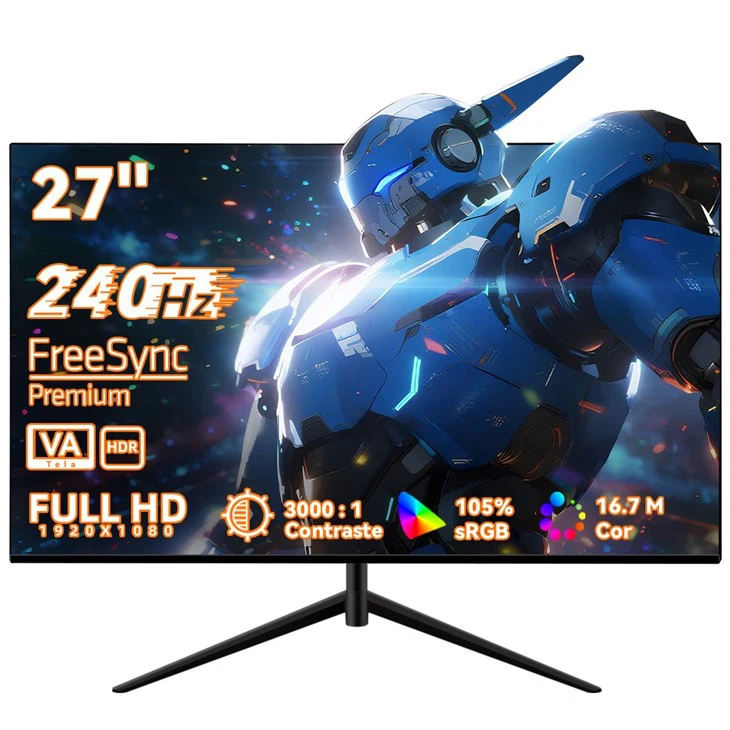
Another important aspect is the resolution and refresh rate. Macs are known for their high - resolution Retina displays. When connecting a gaming monitor, you want to make sure that the monitor can support the same or a compatible resolution as your Mac. For instance, if your Mac has a 4K display, you might want to choose a gaming monitor that also supports 4K resolution. Additionally, the refresh rate of the monitor affects the smoothness of the visuals. Higher refresh rates, such as 144Hz or 240Hz, are ideal for gaming as they reduce motion blur and provide a more immersive experience. Our 32 - Inch Curved Gaming Monitor, Factory Price offers a high refresh rate, ensuring smooth gameplay even in fast - paced games.
Performance and User Experience
Using a gaming monitor with a Mac can enhance your overall user experience, especially if you are into gaming or graphic - intensive tasks. Gaming monitors usually have features like low input lag, high contrast ratios, and wide color gamuts. Low input lag is crucial for gaming as it reduces the delay between your actions and the response on the screen. A high contrast ratio ensures that you can see details in both bright and dark areas of the screen, which is important for games with dynamic lighting conditions.
The wide color gamut of gaming monitors also benefits graphic designers and photographers who use Macs for their work. It allows for more accurate color representation, making it easier to edit and view images and videos. For example, our 27 - Inch Curved Gaming Monitor Factory Price has a wide color gamut that can display a rich and vibrant range of colors, providing a more immersive visual experience whether you are gaming or working on creative projects.
However, it's important to note that the graphics processing unit (GPU) of your Mac will play a significant role in determining the performance. Some older Mac models may not have powerful enough GPUs to fully utilize the capabilities of high - end gaming monitors. In such cases, you may experience lower frame rates or limited visual quality. But for newer Mac models with more powerful GPUs, you can expect a great gaming and visual experience when paired with a suitable gaming monitor.
Setup and Configuration
Setting up a gaming monitor with your Mac is relatively straightforward. Once you have connected the monitor to your Mac using the appropriate adapter, you can go to the "Displays" settings in the System Preferences on your Mac. Here, you can adjust the resolution, refresh rate, and other display settings to optimize the performance of the monitor.
You may also need to configure the display layout if you are using multiple monitors. You can arrange the monitors in the order you want and set the primary display. Additionally, some gaming monitors come with their own software that allows you to customize settings such as color profiles, gaming modes, and OSD (On - Screen Display) options.
Gaming on a Mac with a Gaming Monitor
Gaming on a Mac has come a long way in recent years, and using a gaming monitor can take your gaming experience to the next level. There are many games available for Mac, ranging from indie titles to popular AAA games. With a high - refresh - rate gaming monitor, you can enjoy smoother gameplay and more responsive controls.
For example, in fast - paced first - person shooter games, a 240Hz monitor can make a significant difference in terms of reaction time and visual clarity. You can spot enemies more quickly and aim more accurately. In strategy games, the high - resolution and wide color gamut of the monitor allow you to see all the details of the game world, making it easier to plan your strategies.
Creative Work and Productivity
Apart from gaming, a gaming monitor can also be a great addition to your Mac setup for creative work and productivity. Graphic designers, video editors, and photographers can benefit from the high - quality visuals and wide color gamut of the monitor. You can edit images and videos with more accuracy and see the true colors of your work.
For office work and multitasking, a large - sized gaming monitor provides more screen real estate, allowing you to have multiple windows open side by side. This can increase your productivity and make it easier to manage your tasks.
Why Choose Our Gaming Monitors
As a gaming monitor supplier, we offer a wide range of high - quality gaming monitors that are suitable for Mac users. Our monitors are designed with the latest technology and features to provide the best gaming and visual experience. We ensure that our monitors are compatible with Macs and offer excellent performance.
Our monitors are also competitively priced, especially with our factory - direct pricing. Whether you are looking for a flat or curved monitor, a 27 - inch or 32 - inch model, we have the right option for you. We also provide excellent customer support to help you with any setup or configuration issues.
Contact Us for Procurement
If you are interested in purchasing a gaming monitor for your Mac, we would love to hear from you. Our team of experts can help you choose the right monitor based on your needs and budget. Whether you are an individual gamer, a creative professional, or a business looking to upgrade your display setup, we can provide the best solutions. Contact us today to start the procurement process and take your Mac experience to the next level.
References
- Apple Inc. "Mac System Preferences - Displays."
- Various gaming monitor technical specifications and user manuals.