

Can I access Netflix on a cheap smart TV?
As a supplier of cheap smart TVs, I often get asked whether it's possible to access Netflix on these budget-friendly devices. The short answer is yes, but there are several factors to consider. In this blog post, I'll delve into the details of accessing Netflix on a cheap smart TV, exploring the compatibility, potential limitations, and steps to get you up and running.
Compatibility of Cheap Smart TVs with Netflix
The first thing to understand is that not all cheap smart TVs are created equal when it comes to Netflix compatibility. Netflix has specific requirements for devices that can stream its content. These requirements typically include a certain level of processing power, memory, and support for specific video codecs.
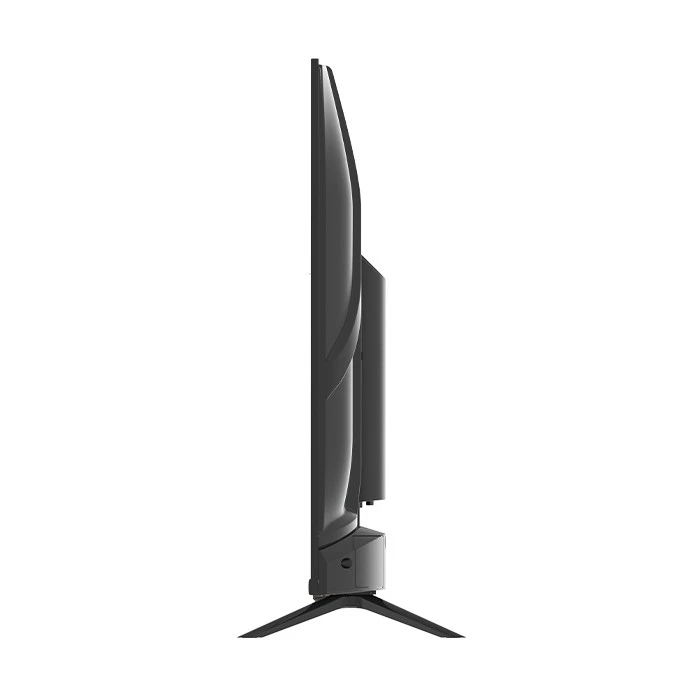
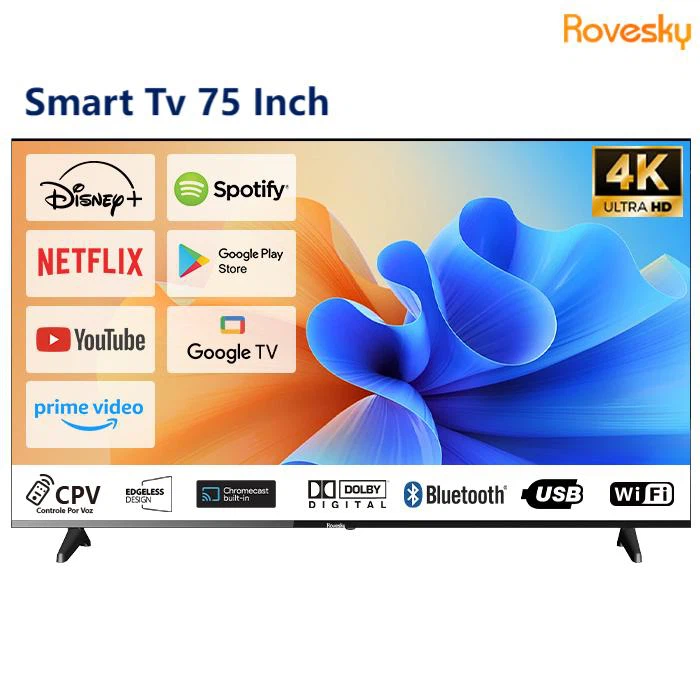
Many modern cheap smart TVs are equipped with Android TV or other smart operating systems that have a pre - installed Netflix app or allow you to download it from the device's app store. For example, the Rovesky 43 - Inch Smart Android TV runs on Android TV, which is well - known for its wide range of app support. With this TV, you can easily access the Google Play Store and download the Netflix app if it's not already installed.
However, some older or extremely low - cost smart TVs may not meet Netflix's technical specifications. These devices might have insufficient RAM or a processor that can't handle the high - definition video streaming required by Netflix. In such cases, you won't be able to download the Netflix app from the app store, or if you manage to sideload it, the app may crash or experience buffering issues constantly.
Steps to Access Netflix on a Compatible Cheap Smart TV
If your cheap smart TV is compatible with Netflix, here are the general steps to get started:
1. Check for App Availability
First, navigate to the app store on your smart TV. This could be the Google Play Store for Android TV devices or another proprietary app store. Search for the Netflix app. If it's available, click on the download button and wait for the installation to complete.
2. Sign In or Sign Up
Once the app is installed, open it. If you already have a Netflix account, enter your email address and password to sign in. If you're new to Netflix, you can sign up for an account directly from the app. You'll need to provide payment information, as Netflix is a subscription - based service.
3. Start Streaming
After signing in, you'll be greeted with Netflix's library of movies, TV shows, documentaries, and more. Browse through the categories, use the search function to find specific titles, and start streaming your favorite content.
Potential Limitations and How to Overcome Them
Even if your cheap smart TV is compatible with Netflix, there are still some potential limitations you might encounter.
1. Video Quality
Cheap smart TVs may not support the highest video quality offered by Netflix. Netflix offers streaming in various resolutions, including SD (Standard Definition), HD (High Definition), Full HD, and even 4K Ultra HD. If your TV doesn't have the necessary hardware to support 4K or Full HD, you'll be limited to lower - quality streams.
To overcome this, you can check the specifications of your TV before purchasing. For example, the Rovesky 85 - Inch 4K AI Smart TV and Rovesky 75 - Inch 4K Android AI Smart TV support 4K resolution, which means you can enjoy Netflix content in the highest available quality if your Netflix subscription also allows for it.
2. Buffering
Buffering is a common issue, especially on cheap smart TVs with slower internet connections or limited processing power. To reduce buffering, make sure your TV is connected to a stable and high - speed Wi - Fi network or use an Ethernet cable for a more reliable connection. You can also close any other apps running in the background on your TV to free up system resources.
3. Audio Issues
Sometimes, you may experience audio problems such as no sound, distorted sound, or out - of - sync audio. Check the audio settings on your TV and the Netflix app. Make sure the volume is turned up, and the audio output is set correctly. If the problem persists, try restarting the TV and the app.
The Benefits of Accessing Netflix on a Cheap Smart TV
Despite the potential limitations, there are many benefits to accessing Netflix on a cheap smart TV.
1. Cost - Effective Entertainment
Netflix offers a vast library of content at a relatively low monthly subscription cost. Combining this with a cheap smart TV allows you to enjoy high - quality entertainment without breaking the bank. You can watch the latest blockbuster movies, binge - watch popular TV series, and discover new shows from around the world.
2. Convenience
Having Netflix directly on your TV means you don't need to connect additional devices such as a streaming stick or a gaming console. You can simply turn on your TV, open the Netflix app, and start watching. This is especially convenient for families or individuals who want a seamless viewing experience.
3. Variety of Content
Netflix has a diverse range of content for all ages and interests. Whether you're into action movies, romantic comedies, science fiction, or documentaries, there's something for everyone on Netflix. And with new content being added regularly, you'll never run out of things to watch.
Conclusion
In conclusion, it is possible to access Netflix on a cheap smart TV, but it depends on the TV's compatibility with Netflix's technical requirements. Many of our Rovesky smart TVs, such as the Rovesky 43 - Inch Smart Android TV, Rovesky 85 - Inch 4K AI Smart TV, and Rovesky 75 - Inch 4K Android AI Smart TV, are designed to provide a great Netflix streaming experience.
If you're interested in purchasing a cheap smart TV that can access Netflix and other popular streaming services, we'd love to have a conversation with you. Reach out to us to discuss your requirements and explore our range of products. We're here to help you find the perfect TV for your entertainment needs.
References
- Netflix official website for device compatibility information.
- Manufacturer's specifications for Rovesky smart TVs.