

Can an all - in - one desktop computer be used for video conferencing?
Hey there! As a supplier of all-in-one desktop computers, I often get asked if these machines are suitable for video conferencing. Well, let me tell you, they absolutely can be! In this blog post, I'm gonna break down why all-in-one desktops are a great choice for video conferencing and share some tips to make the most of them.
First off, let's talk about what makes an all-in-one desktop computer so cool. Unlike traditional desktops, all-in-ones combine the monitor, CPU, and other components into a single unit. This means less clutter on your desk and a sleek, modern look. But more importantly for video conferencing, it also means you get a high-quality display right out of the box.
Most all-in-one desktops come with large, high-resolution screens. Whether you're chatting with clients, collaborating with colleagues, or catching up with friends and family, a big screen makes the experience so much better. You can see everyone clearly, read documents or presentations without straining your eyes, and really get immersed in the conversation.
Take a look at our All-in-One Computer OEM ODM PC Manufacturer China 4K Desktop Solutions. These 24-inch all-in-ones offer 4K resolution, which is seriously sharp. With 4K, you'll get incredibly detailed images and smooth video playback, making your video conferences look professional and polished.
Another great thing about all-in-one desktops is that they usually come with built-in webcams and microphones. This is a huge plus for video conferencing because it saves you the hassle and expense of buying separate devices. The webcams on modern all-in-ones are pretty decent, too. They can capture clear, high-definition video, even in low-light conditions. And the microphones are sensitive enough to pick up your voice without any background noise.
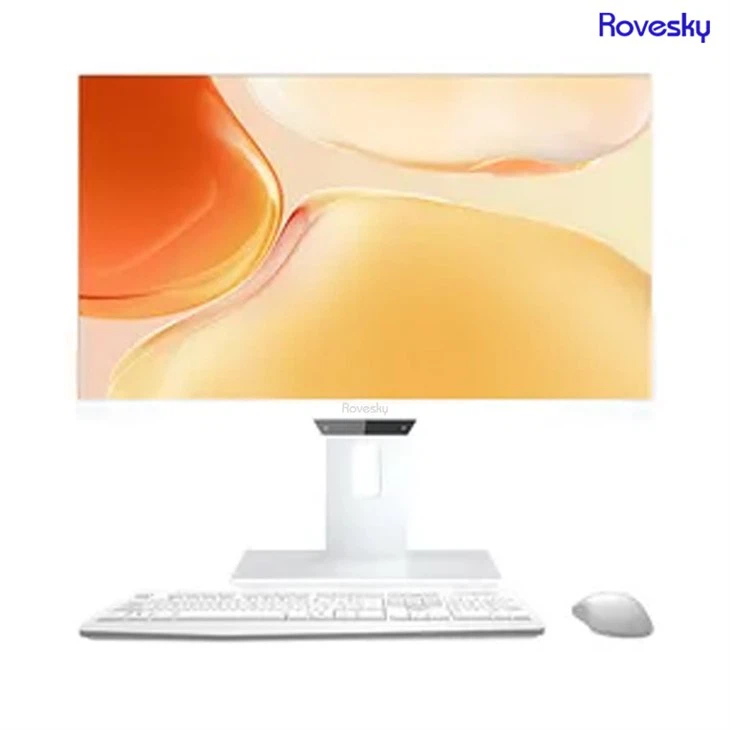

Of course, if you want to take your video conferencing setup to the next level, you can always invest in an external webcam and microphone. But for most people, the built-in ones on an all-in-one desktop will do just fine.
When it comes to performance, all-in-one desktops are more than capable of handling video conferencing. They typically have powerful processors, plenty of RAM, and fast graphics cards. This means you can run multiple applications at the same time without any lag or slowdown. So, while you're in a video conference, you can also have your email open, a document ready to share, or even a presentation running in the background.
Our All-in-One Computer |PC Manufacturer China | Touch & 4K Desktop Solutions are a great example of high-performance all-in-ones. The 27-inch models are equipped with the latest processors and graphics technology, ensuring smooth and seamless video conferencing experiences.
Now, let's talk about some tips to make your video conferencing on an all-in-one desktop even better. First, make sure you have a good internet connection. A stable, high-speed connection is essential for clear video and audio. If your internet is slow or unreliable, you might experience buffering, dropped calls, or poor-quality video.
Next, pay attention to your lighting. Good lighting can make a huge difference in how you look on camera. Try to sit facing a window or use a soft, diffused light source to illuminate your face. Avoid sitting with a bright light behind you, as this can create a silhouette effect and make it hard for others to see you.
Also, consider the background of your video call. A cluttered or messy background can be distracting. You can use a virtual background feature if your video conferencing software supports it, or simply clean up the area behind you and add a nice, neutral backdrop.
Finally, test your setup before each video conference. Make sure your webcam, microphone, and speakers are working properly. Check the audio levels and adjust them if necessary. And practice using any features or tools you might need during the call, such as screen sharing or file sharing.
In conclusion, all-in-one desktop computers are a fantastic option for video conferencing. They offer a combination of style, performance, and convenience that's hard to beat. Whether you're a professional who needs to conduct regular meetings or someone who just wants to stay connected with loved ones, an all-in-one desktop can meet your needs.
If you're interested in learning more about our all-in-one desktop computers or are thinking about making a purchase for your video conferencing needs, don't hesitate to reach out. We're here to help you find the perfect solution for your specific requirements. Let's start a conversation and see how we can make your video conferencing experiences even better!
References
- General knowledge about all-in-one desktop computers and video conferencing technology.