

Can an all - in - one computer be used as a TV?
As a supplier of all-in-one computers, I've often been asked whether an all-in-one computer can be used as a TV. This is a question that combines both technological curiosity and practical utility. In this blog, I'll explore the feasibility, advantages, limitations, and considerations when using an all-in-one computer as a TV.
Feasibility of Using an All-in-One Computer as a TV
Modern all-in-one computers are equipped with advanced hardware and software capabilities that make them highly versatile devices. Most all-in-one computers come with high-resolution displays, powerful processors, and a variety of input/output ports. These features provide a solid foundation for using them as a TV.
The display of an all-in-one computer is one of its most significant assets. Many all-in-one computers offer Full HD or even 4K resolution, which is comparable to or even better than many dedicated TVs on the market. This high resolution ensures sharp, clear, and detailed images, making it suitable for watching movies, TV shows, and sports events.
In terms of connectivity, all-in-one computers usually have multiple ports, including HDMI, USB, and audio ports. The HDMI port is particularly important as it allows you to connect external devices such as cable boxes, streaming devices (e.g., Roku, Amazon Fire TV), and gaming consoles. By connecting these devices to the all-in-one computer, you can access a wide range of TV content, just like you would with a regular TV.
Moreover, all-in-one computers run on operating systems such as Windows or macOS, which support various media players and streaming apps. You can easily install popular streaming services like Netflix, Hulu, and Disney+ on your all-in-one computer, giving you access to a vast library of on-demand content. Some all-in-one computers also support screen mirroring, allowing you to cast content from your smartphone or tablet to the computer's display.
Advantages of Using an All-in-One Computer as a TV
1. Multi-functionality
One of the most significant advantages of using an all-in-one computer as a TV is its multi-functionality. In addition to watching TV, you can use the computer for other tasks such as browsing the internet, working on documents, playing games, and editing photos and videos. This eliminates the need for separate devices for different purposes, saving you space and money.
2. Customization
All-in-one computers offer a high degree of customization. You can adjust the display settings, such as brightness, contrast, and color temperature, to suit your viewing preferences. You can also install additional software and apps to enhance your TV-watching experience, such as media players with advanced features or subtitle editors.
3. Interactive Experience
With a touchscreen all-in-one computer, you can have an interactive TV-watching experience. You can use your fingers to navigate through menus, search for content, and control playback. This is especially useful for smart TV apps that offer interactive features, such as quiz shows and interactive movies.
4. Upgradeability
Unlike traditional TVs, all-in-one computers can be easily upgraded. You can add more memory, storage, or a better graphics card to improve the performance of the computer. This means that your all-in-one computer can keep up with the latest technological advancements and provide a better TV-watching experience in the long run.
Limitations of Using an All-in-One Computer as a TV
1. Sound Quality
While all-in-one computers usually have built-in speakers, the sound quality may not be as good as that of a dedicated TV or a home theater system. Most all-in-one computers are designed for general-purpose use, and the speakers are often small and not optimized for high-quality audio. To get a better sound experience, you may need to connect external speakers or a soundbar to the computer.

2. Viewing Angle
The viewing angle of an all-in-one computer's display may be more limited compared to a TV. All-in-one computers are typically designed to be used from a relatively close distance and at a specific angle. If you move too far to the side or look at the display from a steep angle, the image quality may degrade, and the colors may appear washed out.
3. Cost
All-in-one computers are generally more expensive than traditional TVs with similar screen sizes. This is because they come with a built-in computer system, which includes a processor, memory, and storage. If your primary purpose is to watch TV, you may find that a dedicated TV is a more cost-effective option.
Considerations When Using an All-in-One Computer as a TV
1. Screen Size
When choosing an all-in-one computer to use as a TV, consider the screen size. A larger screen size provides a more immersive viewing experience, but it also takes up more space. Make sure you have enough room to place the computer and that the screen size is appropriate for the distance between you and the display.
2. Resolution
As mentioned earlier, a high-resolution display is essential for a good TV-watching experience. Look for an all-in-one computer with at least Full HD (1920 x 1080) resolution, and if possible, go for 4K resolution for even sharper and more detailed images.
3. Connectivity
Ensure that the all-in-one computer has the necessary ports for connecting your external devices. HDMI is a must-have port, but you may also need other ports such as USB, audio, and Ethernet. If you plan to use wireless devices, make sure the computer has Wi-Fi and Bluetooth capabilities.
4. Software and Apps
Check the operating system and available software on the all-in-one computer. Make sure it supports the media players and streaming apps you want to use. Some apps may require specific versions of the operating system or additional software to run properly.
Our All-in-One Computer Offerings
At our company, we offer a wide range of all-in-one computers that are suitable for use as TVs. Our all-in-one computers come with high-resolution displays, powerful processors, and a variety of connectivity options. They are also designed to be easy to use and customize, allowing you to have a great TV-watching experience.
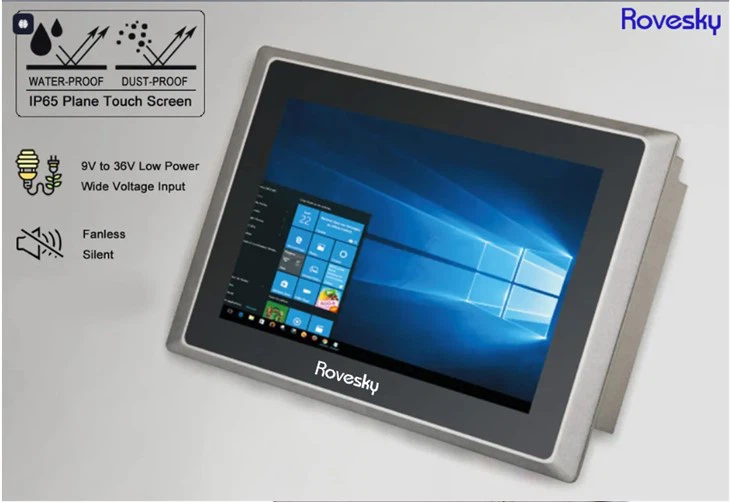
For example, our Rovesky 65'' 4K Touchscreen Whiteboard offers a large 65-inch 4K display, which is perfect for watching movies and TV shows. It also has a touchscreen feature, allowing you to interact with the content easily.
If you're looking for a more compact all-in-one computer, our Buy Direct Factory Price' 19 inch Industrial Panel Computer. Customization OEM/ODM is a great option. It has a 19-inch display and can be customized to meet your specific requirements.
We also offer a 10.1-Inch WiFi Digital Photo Frame, which can be used not only as a digital photo frame but also as a small TV. It supports Wi-Fi connectivity, allowing you to stream content from the internet.
Conclusion
In conclusion, an all-in-one computer can indeed be used as a TV, thanks to its high-resolution display, connectivity options, and software capabilities. While there are some limitations, such as sound quality and viewing angle, the advantages of multi-functionality, customization, and upgradeability make it a viable option for many people.
If you're interested in using an all-in-one computer as a TV or have any questions about our products, please feel free to contact us for procurement and further discussion. We look forward to helping you find the perfect all-in-one computer for your needs.
References
- TechRadar. (2023). Best all-in-one computers. Retrieved from [TechRadar website]
- CNET. (2023). All-in-one computers: What you need to know. Retrieved from [CNET website]
- PCMag. (2023). How to choose an all-in-one computer. Retrieved from [PCMag website]