

Can a smart board be used for history and social studies classes in the classroom?
In today's digital age, the integration of technology into education has become a hot topic. One such technology that has gained significant traction in classrooms is the smart board. As a supplier of smart boards for classrooms, I often get asked whether a smart board can be effectively used for history and social studies classes. In this blog post, I will explore the potential of smart boards in these subjects, highlighting their benefits, challenges, and practical applications.
Benefits of Using Smart Boards in History and Social Studies Classes
Interactive Learning Experience
Smart boards offer an interactive learning environment that can significantly enhance student engagement in history and social studies. Instead of passively listening to lectures or reading textbooks, students can actively participate in lessons through touch-screen interactions. For example, they can zoom in on historical maps to examine details, drag and drop historical figures onto timelines, and manipulate virtual models of historical buildings. This hands-on approach not only makes learning more enjoyable but also helps students better understand complex historical concepts.
Visualization of Historical Events
History and social studies are often rich in visual content, such as maps, paintings, photographs, and videos. Smart boards can effectively present this visual information in a clear and engaging way. Teachers can project high-resolution images of historical artifacts, re-enact historical events through video clips, and use interactive maps to illustrate the geographical context of historical events. By visualizing historical events, students can develop a more vivid and accurate understanding of the past.
Collaboration and Discussion
Smart boards facilitate collaboration and discussion among students. Teachers can use collaborative features on the smart board, such as shared whiteboarding and annotation tools, to encourage students to work together on projects, analyze historical documents, and discuss different perspectives. This collaborative learning approach not only promotes critical thinking and communication skills but also helps students develop a deeper understanding of historical events through peer interaction.

Access to Digital Resources
Smart boards provide easy access to a vast array of digital resources, including online libraries, historical databases, and educational websites. Teachers can use these resources to supplement their lessons, provide additional information, and encourage students to conduct independent research. For example, students can access primary sources, such as letters, diaries, and speeches, to gain a firsthand understanding of historical events. The availability of digital resources also allows teachers to update their lessons in real-time, ensuring that students have access to the latest historical research and information.
Challenges of Using Smart Boards in History and Social Studies Classes
Technical Issues
One of the main challenges of using smart boards in the classroom is technical problems. Smart boards rely on complex hardware and software systems, which can sometimes malfunction or encounter compatibility issues. For example, the touch-screen function may not work properly, the projector may not display images clearly, or the software may crash. These technical issues can disrupt the flow of the lesson and cause frustration for both teachers and students.
Training and Professional Development
To effectively use smart boards in history and social studies classes, teachers need to have the necessary skills and knowledge. However, many teachers may not have received adequate training on how to use smart board technology. This lack of training can limit the potential of smart boards in the classroom and prevent teachers from fully utilizing their features. Teachers may also need ongoing professional development to keep up with the latest technological advancements and best practices in using smart boards.
Cost and Infrastructure Requirements
Smart boards can be expensive to purchase and install, especially for schools with limited budgets. In addition to the cost of the smart board itself, schools may also need to invest in additional infrastructure, such as high-speed internet, projectors, and speakers. These infrastructure requirements can add to the overall cost of implementing smart boards in the classroom.
Digital Divide
The use of smart boards in the classroom assumes that all students have equal access to technology and digital resources. However, this may not be the case in many schools, especially those in low-income communities. The digital divide can create inequalities in educational opportunities, as students who do not have access to technology at home may be at a disadvantage in the classroom.
Practical Applications of Smart Boards in History and Social Studies Classes
Historical Timeline Creation
Timelines are an essential tool in history and social studies for understanding the chronological order of events. Smart boards can be used to create interactive historical timelines that allow students to visualize the progression of historical events over time. Teachers can use pre-made timeline templates or create their own custom timelines using the smart board's drawing and annotation tools. Students can then add historical events, images, and descriptions to the timeline, making it a collaborative and engaging learning activity.
Historical Document Analysis
Analyzing historical documents is a critical skill in history and social studies. Smart boards can be used to display and analyze historical documents, such as letters, diaries, speeches, and treaties. Teachers can project high-resolution images of historical documents onto the smart board and use the annotation tools to highlight key passages, ask questions, and facilitate discussion. Students can also use the smart board to take notes, make annotations, and share their thoughts and insights with the class.
Virtual Field Trips
Virtual field trips are a great way to bring history and social studies to life. Smart boards can be used to take students on virtual field trips to historical sites, museums, and cultural landmarks around the world. Teachers can use online resources, such as Google Street View, virtual museum tours, and historical re-enactment videos, to create immersive and engaging virtual field trips. Students can explore these virtual environments, ask questions, and interact with the content in real-time.
Role-Playing and Simulation
Role-playing and simulation activities are effective ways to help students understand historical events from different perspectives. Smart boards can be used to create interactive role-playing and simulation scenarios that allow students to take on the roles of historical figures and participate in historical events. Teachers can use the smart board's drawing and annotation tools to create maps, charts, and diagrams that illustrate the historical context of the role-playing or simulation activity. Students can then use the smart board to make decisions, interact with other students, and experience the consequences of their actions.
Conclusion
In conclusion, smart boards have the potential to revolutionize the way history and social studies are taught in the classroom. They offer an interactive learning experience, visualization of historical events, collaboration and discussion opportunities, and access to digital resources. However, there are also challenges associated with using smart boards in the classroom, such as technical issues, training and professional development, cost and infrastructure requirements, and the digital divide. Despite these challenges, the benefits of using smart boards in history and social studies classes far outweigh the drawbacks.
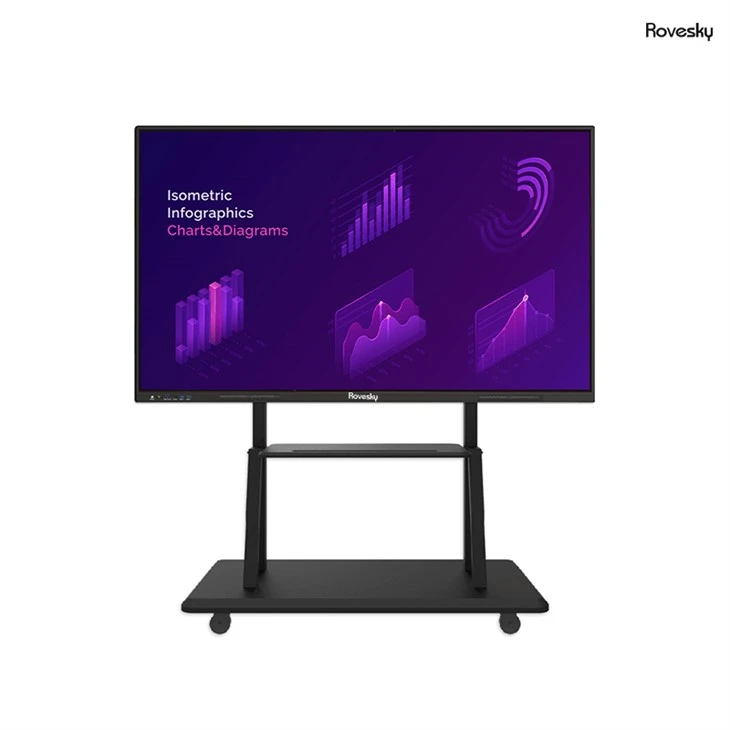
As a supplier of smart boards for classrooms, I believe that smart boards can make a significant positive impact on the teaching and learning of history and social studies. If you are interested in exploring how smart boards can enhance your history and social studies classes, I encourage you to Factory Price 65'' 4K Touchscreen Whiteboard. We offer a range of high-quality smart boards with advanced features and competitive prices. Please feel free to contact us for more information and to discuss your specific needs. We look forward to the opportunity to work with you and help you transform your history and social studies classrooms.
References
- Johnson, D. W., & Johnson, R. T. (2009). Learning together and alone: Cooperative, competitive, and individualistic learning. Pearson.
- Mayer, R. E. (2009). Multimedia learning. Cambridge University Press.
- Mishra, P., & Koehler, M. J. (2006). Technological pedagogical content knowledge: A framework for teacher knowledge. Teachers College Record, 108(6), 1017-1054.
- National Council for the Social Studies. (2010). Curriculum standards for social studies: A framework for teaching, learning, and assessment. National Council for the Social Studies.