

Can a gaming monitor be used for work?
In today's digital age, the line between work and play is becoming increasingly blurred. Many of us are constantly on the lookout for versatile equipment that can serve multiple purposes. One such piece of hardware that has gained significant attention is the gaming monitor. As a gaming monitor supplier, I've been frequently asked whether a gaming monitor can be used for work. In this blog post, I'll delve into this question, exploring the features of gaming monitors and how they can translate into a productive work environment.
The Key Features of Gaming Monitors
Gaming monitors are designed with several features that enhance the gaming experience. These features, however, can also be highly beneficial in a work setting.
High Refresh Rate
One of the most prominent features of gaming monitors is their high refresh rate. Refresh rate refers to the number of times per second that a monitor updates its image. Gaming monitors often come with refresh rates of 144Hz, 240Hz, or even higher, compared to the standard 60Hz found on most regular monitors. A high refresh rate results in smoother motion, reducing motion blur and ghosting.
In a work context, this can be particularly useful for tasks that involve a lot of movement on the screen. For example, video editors can benefit from a high refresh rate when previewing their projects. The smooth playback allows them to catch any glitches or errors more easily. Similarly, graphic designers who work with animations or 3D models can appreciate the fluidity provided by a high refresh rate.
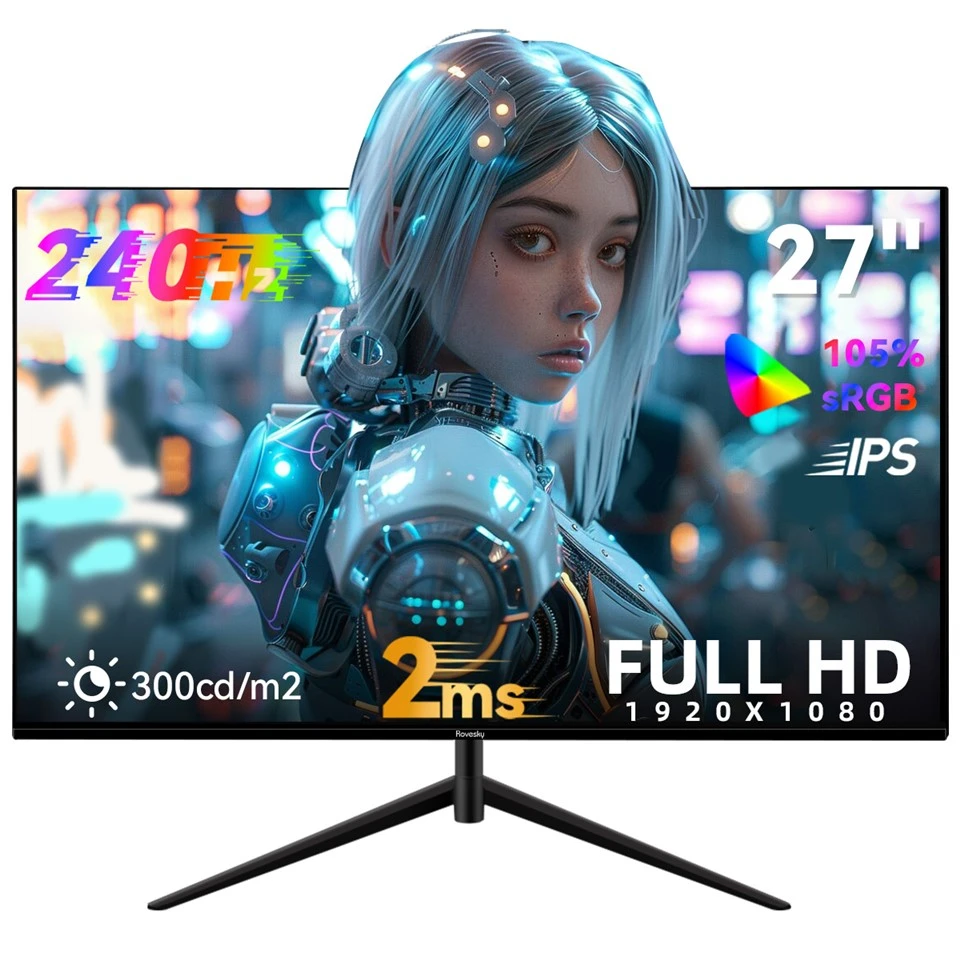
Take our Rovesky 27-Inch Flat Gaming Monitor – 240Hz as an example. With its 240Hz refresh rate, it offers an incredibly smooth visual experience, making it suitable for both gaming and demanding work tasks.
Low Response Time
Response time is another crucial factor in gaming monitors. It measures how quickly a pixel can change from one color to another. A low response time, typically measured in milliseconds (ms), reduces the time it takes for an image to update on the screen. This is essential in gaming to prevent motion blur and ensure sharp visuals during fast-paced action.
In a work environment, a low response time can improve the overall user experience. For instance, when scrolling through long documents or spreadsheets, a monitor with a low response time will provide a more immediate and smooth scrolling experience. It can also be beneficial for those who work with live data feeds or real-time analytics, as it ensures that the information on the screen is up-to-date and clear. Our Rovesky 32-Inch Curved Gaming Monitor – 240Hz has a low response time, which not only enhances the gaming experience but also makes it a great choice for work.
High Resolution
Many gaming monitors come with high-resolution displays, such as Full HD (1920x1080), Quad HD (2560x1440), or even 4K (3840x2160). A high-resolution monitor provides more screen real estate, allowing users to view more content at once. This can be a significant advantage in a work setting.
For professionals who work with multiple applications or documents simultaneously, a high-resolution monitor can increase productivity. For example, programmers can have their code editor open on one side of the screen while referring to documentation on the other. Data analysts can view large datasets and graphs side by side without having to constantly switch between windows. Our Rovesky 24-Inch IPS Gaming Monitor offers a high-resolution display, providing users with a clear and detailed view of their work.
Ergonomic Considerations
In addition to the technical features, gaming monitors also often come with ergonomic designs that can be beneficial for long hours of work.
Adjustable Stand
Many gaming monitors are equipped with adjustable stands that allow users to tilt, swivel, and height-adjust the monitor. This flexibility enables users to find the most comfortable viewing position, reducing neck and eye strain. In a work environment where employees may spend hours in front of a monitor, an adjustable stand can contribute to better posture and overall well-being.

Blue Light Filter
Prolonged exposure to blue light emitted by monitors can cause eye fatigue and disrupt sleep patterns. Gaming monitors often come with built-in blue light filters that reduce the amount of blue light reaching the eyes. This feature can be particularly useful for those who work long hours in front of a screen. By reducing eye strain, it allows users to work more comfortably and for longer periods without experiencing excessive fatigue.
Potential Drawbacks
While gaming monitors offer many benefits for work, there are also some potential drawbacks to consider.
Cost
Gaming monitors tend to be more expensive than regular monitors. The advanced features such as high refresh rates, low response times, and high resolutions come at a price. For some businesses or individuals on a tight budget, the cost of a gaming monitor may be a deterrent. However, it's important to weigh the cost against the potential productivity gains and the long-term benefits.
Color Accuracy
Although many gaming monitors have improved color accuracy in recent years, some may still not be as accurate as professional-grade monitors. This can be a concern for tasks that require precise color representation, such as photo and video editing. However, if your work doesn't require extremely high color accuracy, a gaming monitor can still be a viable option.
Conclusion
In conclusion, a gaming monitor can definitely be used for work. Its high refresh rate, low response time, high resolution, and ergonomic features make it suitable for a wide range of work tasks. Whether you're a video editor, graphic designer, programmer, or data analyst, a gaming monitor can enhance your productivity and provide a more comfortable work experience.
Of course, it's important to consider your specific work requirements and budget when choosing a monitor. If you need a monitor with extremely high color accuracy or if you're on a tight budget, a regular monitor may be a better choice. However, if you're looking for a versatile monitor that can handle both work and play, a gaming monitor is definitely worth considering.
If you're interested in learning more about our gaming monitors or would like to discuss a potential purchase, please don't hesitate to reach out. We're here to help you find the perfect monitor for your needs.
References
- "The Benefits of High Refresh Rate Monitors" - TechRadar
- "Response Time in Monitors: What You Need to Know" - PCMag
- "How to Choose the Right Monitor for Your Work" - Wired